"OpenCV calls me a BGR Mat, scikit-image calls me a float in [0, 1], and Pillow just wants to know if I have an EXIF rotation. I contain multitudes, all of them the same bytes."
A Thoroughly Benchmarked Test Image
The Python imaging libraries are not competitors; they are dialects of one shared language, the NumPy array, and fluency means knowing which dialect each function speaks. OpenCV brings industrial speed and breadth, scikit-image brings scientific clarity and float-first correctness, Pillow brings unmatched file-format craftsmanship, and a supporting cast (SciPy, imageio, Matplotlib) fills the gaps. Because they all read and write the same arrays from Section 0.1, you can, and in practice will, mix them in a single pipeline.
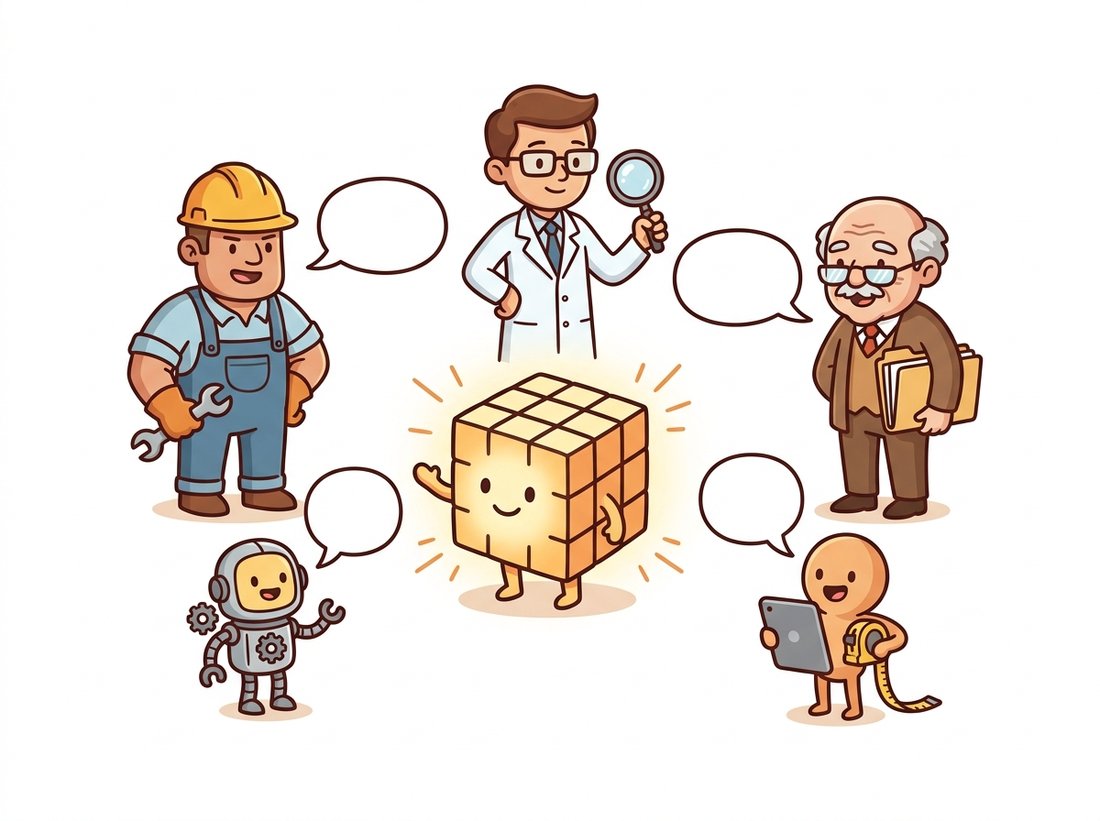
In the previous section you learned what an image is in Python. This section is about who you will be working with. The ecosystem can look chaotic from outside: at least six major libraries overlap on basic operations, each with its own defaults. Viewed from inside, the structure is simple, and it is the structure shown in Figure 0.2.1: NumPy in the center, everything else orbiting it. The illustration below sketches the same relationship as a friendly cast of characters.
1. The Lay of the Land Beginner
Practically every imaging library in Python either operates directly on NumPy arrays or converts to and from them in one line. That single design decision, made independently by different communities over two decades, is why the ecosystem composes so well. The map looks like this:
The boxes in Figure 0.2.1 divide into three tiers of involvement. The big three (OpenCV, scikit-image, Pillow) are the subject of the rest of this section. The utility tier (SciPy's ndimage for N-dimensional filtering, imageio for uniform file access, Matplotlib for display) appears throughout the book wherever it is the simplest tool. The deep learning tier, torchvision and friends, takes over in Chapter 18; for now you only need to know that the handoff from NumPy to tensors is cheap and routine.
2. OpenCV: The Industrial Workhorse Beginner
OpenCV is a C++ library born at Intel in 1999, and cv2 (installed as opencv-python) is its Python binding. When a function exists in OpenCV, it is usually the fastest CPU implementation you can call from Python without writing native code yourself: the hot paths are hand-optimized, vectorized with single-instruction-multiple-data (SIMD) operations, and often multithreaded. Coverage is enormous, from JPEG decoding through video capture, classical feature detectors (the stars of Chapter 10), camera calibration, and a deep neural network inference engine.
The price of that power is a set of conventions that predate the rest of the Python ecosystem. OpenCV stores color as BGR rather than RGB. It defaults to uint8 arithmetic with saturation. Its size arguments are $(width, height)$ tuples while NumPy shapes are $(height, width)$. None of these are bugs; all of them are tripwires, and Section 0.4 is devoted to walking through them in slow motion.
import cv2
import numpy as np

print(cv2.__version__)                  # e.g. 4.10.0

img = np.zeros((200, 300, 3), dtype=np.uint8)
img[:, :, 2] = 255                      # in OpenCV's BGR world, channel 2 is RED

small = cv2.resize(img, (150, 100))     # note: (width, height), not (h, w)!
print(small.shape)                      # (100, 150, 3)  -> rows, cols, channels

blurred = cv2.GaussianBlur(img, (5, 5), 1.0)   # 5x5 kernel, sigma = 1.0
print(blurred.dtype)                    # uint8: OpenCV keeps your dtype
OpenCV does not call scikit-image, scikit-image does not call Pillow, and none of them define their own image class for you to learn (Pillow's Image object being the partial exception). They all meet at the NumPy array. This means interoperability is not a feature someone implemented; it is a property of the shared representation. It also means responsibility for conventions (color order, dtype, value range) transfers to you at every boundary, because the array itself does not record which convention it follows.
3. scikit-image: The Scientist's Library Beginner
scikit-image grew out of the SciPy community with a different set of values: algorithmic transparency, NumPy-native interfaces, and well-cited reference implementations. Its functions are organized into readable submodules (filters, transform, measure, morphology, restoration), its documentation reads like a short textbook, and when you want to know exactly what an algorithm does, the source is clean Python and Cython you can actually study. Where OpenCV speaks uint8 by default, scikit-image thinks in floats: most functions accept any dtype but return float64 images scaled to $[0, 1]$.
import numpy as np
from skimage import filters, transform

rng = np.random.default_rng(0)
img = rng.integers(0, 256, (100, 150), dtype=np.uint8)

resized = transform.resize(img, (50, 75))      # anti-aliased by default
print(resized.dtype, resized.min().round(3), resized.max().round(3))
# float64 0.137 0.864   -> note: float in [0, 1] now, not uint8!
#   (it does not hit 0 and 1 because resizing averages neighbors,
#    pulling the extremes inward; the scale is [0, 1], the content is not)

edges = filters.sobel(img)                     # gradient magnitude
print(edges.dtype, edges.max().round(3))       # float64 0.633
resize as float64 in [0, 1], anti-aliased, which is mathematically kind and convention-breaking at the same time.That automatic float conversion embodies a real philosophical difference. scikit-image prioritizes numerical correctness (anti-aliasing on by default, no integer overflow possible) over preserving your storage format. OpenCV prioritizes throughput and in-place processing of camera streams. Neither is wrong; mixing them blindly is. The Sobel filter shown above, by the way, is our first meeting with image gradients, which become edge detection in Chapter 9.
There is a quiet litmus test for which library wrote an array you were handed: print its dtype. If it came back float64 in $[0, 1]$, scikit-image touched it; if it is still uint8, OpenCV or a raw file reader did. The dtype is a fingerprint. Libraries leave their philosophy stamped on every array they return, and learning to read that stamp is faster than asking the colleague who wrote the function.
Make the fingerprint idea tangible in under a minute at the interpreter. Build one uint8 array, then resize the very same input with each library and print only the output dtype and value range:
import numpy as np, cv2
from skimage import transform
from PIL import Image

img = (np.random.default_rng(0).integers(0, 256, (100, 150), np.uint8))

a = cv2.resize(img, (75, 50))                       # OpenCV
b = transform.resize(img, (50, 75))                 # scikit-image
c = np.asarray(Image.fromarray(img).resize((75, 50)))  # Pillow

for name, x in [("cv2", a), ("skimage", b), ("PIL", c)]:
    print(f"{name:8s} {str(x.dtype):8s} [{x.min():.3f}, {x.max():.3f}]")
Watch what changes: OpenCV and Pillow hand back uint8 in the 0 to 255 range, while scikit-image returns float64 rescaled into [0, 1], the dtype stamp that betrays each library's philosophy. Now swap the input to a float image (img / 255.0) and rerun: notice which calls preserve the float and which quietly recast, the difference that the boundary-conversion discipline of Section 0.4 exists to manage.
4. Pillow: The File-Format Specialist Beginner
Pillow is the maintained fork of PIL, the Python Imaging Library, and it is the elder statesman of this ecosystem: its lineage predates NumPy itself. Uniquely among the big three, Pillow's central abstraction is not an array but an Image object that knows its format, color mode, and metadata. This makes Pillow the right tool for the file layer of an application: opening anything (it speaks dozens of formats), honoring EXIF orientation from phone cameras, generating thumbnails, converting palettes, saving with fine format control. Web frameworks, Django among them, lean on Pillow for exactly these jobs.
import numpy as np
from PIL import Image

# Pillow -> NumPy: one call each way.
pil_img = Image.new("RGB", (300, 200), color=(255, 60, 0))  # size is (W, H)!
arr = np.asarray(pil_img)
print(arr.shape, arr.dtype)         # (200, 300, 3) uint8  -> back to (H, W, C)

arr = arr.copy()                    # np.asarray may give a read-only view
arr[:100] = (0, 120, 255)
back = Image.fromarray(arr)         # NumPy -> Pillow
print(back.size, back.mode)         # (300, 200) RGB

back.thumbnail((128, 128))          # in-place, preserves aspect ratio
print(back.size)                    # (128, 85)
np.asarray exposes the pixels as an (H, W, C) array, Image.fromarray wraps an array back into an Image, and thumbnail shows the kind of file-level convenience Pillow excels at.Note the small landmine in that snippet: Pillow's size is $(W, H)$, the geometric convention, while the array that comes out of np.asarray has shape $(H, W, C)$, the matrix convention. You have now seen this width-height swap twice in one section. It is not a coincidence; it is the oldest schism in computer graphics, and Section 0.4 gives it a full subsection.
Who: A robotics engineer at a warehouse-automation company, adding a quality-control camera to a picking station.
Situation: The capture service used OpenCV (uint8, BGR); a teammate's analysis routine used scikit-image and returned its results as float64 arrays in [0, 1]; archived snapshots were written with cv2.imwrite.
Problem: Every archived snapshot was an almost-black rectangle (peak value 1 out of 255). cv2.imwrite interprets a float array by casting values to integers, and floats in [0, 1] all round to 0 or 1. No error was raised at any point; the pipeline ran "successfully" for three days, discarding roughly 130,000 quality-control frames, before anyone opened an archive file.
Dilemma: Two fixes competed. Sprinkling an img_as_ubyte rescale at each of the 14 call sites that wrote files was fast but left the same trap armed for the next contributor. Centralizing on one dialect and wrapping every scikit-image call in an adapter cost a day of refactoring but made the bug structurally impossible. The cheap local patch was tempting under deadline; the engineer argued the recurring-bug cost outweighed the day.
Decision: The team adopted a boundary rule: every function in the codebase accepts and returns uint8 BGR arrays (the OpenCV dialect), and any scikit-image call is wrapped in an adapter that converts on the way in and rescales with img_as_ubyte on the way out.
Result: The black-rectangle class of bug disappeared across all 14 sites, and code review now had a single convention to check instead of a per-function guessing game.
Lesson: Mixing dialects is normal and productive, but conversions belong at explicit, named boundaries, not scattered wherever someone happened to notice a mismatch.
5. Choosing Your Tools: A Decision Guide Intermediate
Table 0.2.1 condenses the section into the reference card you will actually use. The dialect columns (color order, default dtype) matter more than the feature columns, because features overlap but dialects clash.
| Library | Primary object | Color order | Preferred dtype | Reach for it when |
|---|---|---|---|---|
OpenCV (cv2) | NumPy array | BGR | uint8 | Speed matters; video and cameras; classical CV algorithms; production pipelines |
| scikit-image | NumPy array | RGB | float in [0, 1] | Scientific analysis; readable reference implementations; correctness over throughput |
| Pillow | Image object | RGB | uint8 (mode-based) | File formats, EXIF, thumbnails, web services; anything metadata-adjacent |
| imageio | NumPy array | RGB | source-native | Uniform reading of unusual formats: 16-bit TIFF, GIF, video frames, volumes |
SciPy ndimage | NumPy array | n/a (N-D) | any | N-dimensional filtering and measurements beyond 2-D photos |
A reasonable default policy for this book and for real projects: use OpenCV as the backbone (it will be our main tool from Chapter 2 onward), borrow scikit-image when you need an algorithm OpenCV lacks or want a trustworthy reference implementation, and let Pillow or imageio own the file boundary when formats get exotic. Whatever you choose, write the choice down: a comment like # contract: uint8 BGR (H, W, 3) at the top of a pipeline file is worth an hour of debugging.
To appreciate what these libraries carry for you, consider resizing, which looks trivial and is not. A from-scratch bilinear resize must map each output pixel to fractional source coordinates and blend four neighbors with weights $w = (1-\Delta x)(1-\Delta y)$ and its three siblings: roughly 30 lines of index gymnastics, before you even consider anti-aliasing for downscaling. The library version:
# Downscale to a quarter size with area averaging, the right
# filter for shrinking (it suppresses aliasing). Replaces a
# hand-rolled bilinear resize plus border handling.
small = cv2.resize(img, None, fx=0.25, fy=0.25,
                   interpolation=cv2.INTER_AREA)   # 1 line, SIMD-fast
A 30-to-1 line reduction, and the library additionally handles the parts the naive version gets wrong: edge replication at borders, the area-averaging filter that prevents downscaling artifacts (the aliasing story told properly in Chapter 4), dtype preservation, and multi-channel support. Implementing interpolation yourself is a worthwhile exercise exactly once, in Chapter 5, where warping forces the issue.
The hub-and-spokes map of Figure 0.2.1 is being redrawn around accelerators. Kornia reimplements much of classical image processing as differentiable PyTorch operations, so a blur or a homography (a geometric warp that maps one plane onto another, the subject of Chapter 5) can sit inside a trained model and receive gradients; its 2024-2026 releases added data augmentation pipelines and geometry modules used in production training stacks. RAPIDS cuCIM ports a growing slice of the scikit-image API to CUDA for biomedical gigapixel work. torchvision.transforms.v2 (stable since 2023 and the default recommendation in 2024+) unified image, box, and mask transforms on tensors, while NVIDIA DALI moves JPEG decoding itself onto the GPU, eliminating the CPU bottleneck in data loading. And Albumentations, the OpenCV-based augmentation library, remains a fixture of competition-winning training recipes we revisit in Chapter 21. The lesson of the decade: the array contract from Section 0.1 survived the GPU transition; only the device pointer moved.
6. Interoperation in Practice Intermediate
Let us close with the canonical mixed pipeline: each library doing the one job it is best at, with explicit conversions at the seams. This pattern, Pillow for the file layer, OpenCV for processing, scikit-image for a specialty algorithm, Matplotlib for display, is one you will write hundreds of times.
import numpy as np
import cv2
from PIL import Image
from skimage import img_as_ubyte
from skimage.restoration import denoise_tv_chambolle

# 1. File layer: Pillow opens anything and fixes phone-camera rotation.
#    (Here we synthesize instead, so the snippet runs without assets.)
pil_img = Image.new("RGB", (320, 240), (180, 120, 60))
rgb = np.asarray(pil_img).copy()                # uint8, RGB, (H, W, 3)

# 2. Processing layer: OpenCV expects BGR; convert AT THE BOUNDARY.
bgr = cv2.cvtColor(rgb, cv2.COLOR_RGB2BGR)
bgr = cv2.GaussianBlur(bgr, (5, 5), 1.2)

# 3. Specialty algorithm: scikit-image's TV denoiser (no cv2 equivalent).
float_rgb = cv2.cvtColor(bgr, cv2.COLOR_BGR2RGB).astype(np.float64) / 255.0
den = denoise_tv_chambolle(float_rgb, weight=0.05, channel_axis=-1)
result = img_as_ubyte(den)                      # back to the uint8 contract

print(result.shape, result.dtype)               # (240, 320, 3) uint8
img_as_ubyte restores the uint8 contract at the end.The total-variation denoiser smuggled into step 3 is a preview of Chapter 7, where denoising gets a proper treatment, and of the remarkable arc by which denoising later becomes the engine of generative models. For now the point is structural: four libraries, one array, three explicit conversions, zero surprises. The next section descends from ecosystem cartography to the most basic operational skill of all: getting images into and out of your program without losing data on the way.
For each scenario, name the library you would lead with and justify the choice in two sentences using the dialect table (Table 0.2.1): (a) a web service that generates 200-pixel thumbnails from user uploads, honoring EXIF rotation; (b) a real-time defect detector on a 60 fps industrial camera; (c) a research notebook quantifying cell shapes in 16-bit microscopy TIFFs; (d) a data-augmentation stage inside a PyTorch training loop.
Generate a 2000 by 3000 random uint8 RGB array. Downscale it to 500 by 750 using (a) cv2.resize with INTER_AREA, (b) skimage.transform.resize with default settings, and (c) Pillow's Image.resize with Image.Resampling.LANCZOS. Time each with time.perf_counter (best of five runs), and report the output dtype and value range of each. Write three sentences on how the dtype results confirm each library's philosophy.
Open the scikit-image source for skimage.filters.sobel (it is short and on GitHub). Trace what the function actually computes: which helper it delegates to, how it handles multichannel input, and where the float conversion happens. Compare with the OpenCV documentation for cv2.Sobel: list two behavioral differences a user would observe (consider dtype, normalization, and border handling), and verify one of them experimentally on a small array.