"Show me four landmarks I recognize and I will tell you exactly where I am standing. Show me three and I will give you four equally confident answers, one of which has me inside the wall."
A P3P Solver With Multiple Personalities
Calibration measures the camera once; pose estimation locates it every frame, and the Perspective-n-Point problem is the bridge: given the calibrated intrinsics and a handful of known 3D points with their pixel observations, recover the rotation and translation that place the camera in the world. PnP is the most-executed geometric algorithm in production vision: every AR overlay, every marker-guided robot, and every visual-SLAM tracking thread solves it dozens of times per second. This section builds the extrinsic model, surveys the solver families, and hardens them against the real world's mismatched correspondences with RANSAC.
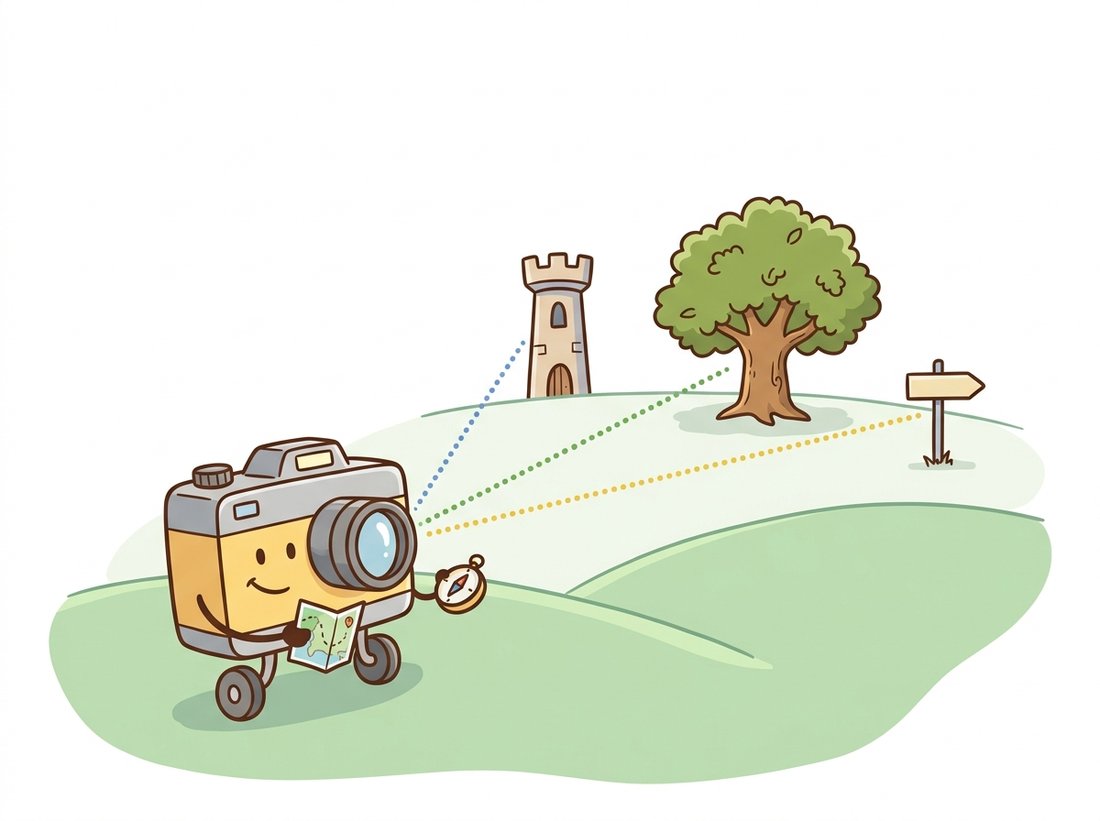
The calibration of Section 12.3 ended with a quiet bonus: alongside $K$ and distortion, it returned a rotation and translation for every board view. Those were extrinsics, computed as a byproduct. This section makes them the main event, because the question "where is the camera?" is asked far more often than "what is the camera?": intrinsics change when the lens does, extrinsics change every time anything moves. The tool that answers it is the Perspective-n-Point (PnP) problem, and its inputs come from sources you have already built: known 3D geometry (a calibration board, a CAD model, a map of triangulated landmarks) matched to pixels by the detection and matching machinery of Chapter 10. The illustration below shows the idea in miniature: a camera fixing its own position from a few landmarks it recognizes.
1. Extrinsics: The Camera's Place in the World Basic
The extrinsic parameters are a rigid transform from world coordinates to camera coordinates:
$$\mathbf{X}_{\text{cam}} = R\, \mathbf{X}_{\text{world}} + \mathbf{t},$$
where $R$ is a $3 \times 3$ rotation matrix and $\mathbf{t}$ a translation vector, together six degrees of freedom (DOF: three of rotation, three of translation), the same rigid transforms you manipulated in 2D in Chapter 5, promoted to 3D. Composing with the intrinsics gives the full projection $P = K[R\,|\,t]$ from Section 12.1. One subtlety repays memorizing: $\mathbf{t}$ is not the camera's position. The transform maps world points into the camera frame, so the camera center $C$ (the point that maps to the origin) is
$$C = -R^\top \mathbf{t}.$$
Forgetting this and plotting $\mathbf{t}$ as the camera position is the single most common bug in homemade pose visualizers; the camera traces a mirror-warped path and everyone blames the solver. Figure 12.4.1 lays out the two frames and the transform between them.
In code, rotations travel as Rodrigues vectors: a 3-vector whose direction is the rotation axis and whose length is the angle in radians. Picture spinning a globe: you grab it along one axis and twist by some angle, and those two facts (which way the axis points, how far you turned) are exactly the direction and length of the vector. A vector $[0, 0, \pi/2]$ therefore means "turn 90 degrees about the $Z$ axis," and the zero vector $[0, 0, 0]$ means no rotation at all. This is the rvec in every OpenCV pose function, compact (3 parameters for 3 DOF, no orthogonality constraints to maintain during optimization) and convertible to and from a matrix with cv2.Rodrigues.
2. The Perspective-n-Point Problem Intermediate
PnP is the formal statement of "where am I, given landmarks?": given $n$ world points $\mathbf{P}_i$, their observed pixels $\mathbf{p}_i$, and the intrinsics $K$, find $R, \mathbf{t}$ minimizing the reprojection error
$$E(R, \mathbf{t}) = \sum_{i=1}^{n} \left\lVert \mathbf{p}_i - \pi(K, R, \mathbf{t}, \mathbf{P}_i) \right\rVert^2 .$$
The solver landscape has three tiers, and OpenCV's flags argument selects among them:
- Minimal: P3P. Three points yield a quartic with up to four geometrically valid poses; a fourth point picks the winner. P3P matters not for everyday use but inside RANSAC, where you want to hypothesize poses from the smallest possible sample (
SOLVEPNP_P3P,SOLVEPNP_AP3P). - Closed-form for many points: EPnP. Expresses the $n$ points as combinations of four control points and solves linearly in $O(n)$, fast and accurate for $n \gtrsim 6$ (
SOLVEPNP_EPNP). Four is not arbitrary: any 3D point has unique barycentric coordinates with respect to four non-coplanar reference points, so EPnP reduces estimating $n$ unknown camera-frame positions to estimating just the four control points, which is why the cost stays linear in $n$ no matter how many correspondences you feed it. - Iterative refinement. Levenberg-Marquardt (the nonlinear least-squares solver introduced in Section 12.3) on the reprojection error from an initial guess, the most accurate finish and the default (
SOLVEPNP_ITERATIVE); planar targets get dedicated solvers (SOLVEPNP_IPPE,SOLVEPNP_IPPE_SQUARE) that exploit the flat geometry.
A useful mental model: the calibrated camera converts each observed pixel into a ray (the back-projection of Section 12.1), so PnP is the problem of rigidly moving a known constellation of 3D points until each point impales its own ray. Three rays almost pin the constellation; more rays overdetermine it and average out the pixel noise.
3. solvePnP in Practice Basic
The code below estimates the pose of a checkerboard from a single image, using the $K$ and distortion calibrated in Section 12.3. It then converts the Rodrigues vector to a matrix, computes the camera center with the formula from Subsection 1, and draws the world axes into the image, the canonical "is my pose right?" sanity check: the axes should sit on the board's corner and point along its edges.
# Estimate a calibrated board's pose from one image with solvePnP, then run
# the two standard conversions: Rodrigues vector to rotation matrix, and
# C = -R^T t for the camera center. drawFrameAxes gives the visual sanity check.
import cv2
import numpy as np

# K, dist: from Section 12.3's calibration. objp: board corner coordinates.
img = cv2.imread("board_pose.jpg")
gray = cv2.cvtColor(img, cv2.COLOR_BGR2GRAY)
ok, corners = cv2.findChessboardCornersSB(gray, (9, 6),
                                          flags=cv2.CALIB_CB_EXHAUSTIVE)

ok, rvec, tvec = cv2.solvePnP(objp, corners, K, dist)   # default: ITERATIVE

R, _ = cv2.Rodrigues(rvec)              # 3-vector -> 3x3 rotation matrix
C = -R.T @ tvec                         # camera center in WORLD coordinates
angle = np.degrees(np.linalg.norm(rvec))

print(f"distance to board origin: {np.linalg.norm(tvec):.3f} m")
print(f"rotation angle: {angle:.1f} deg about axis {np.round(rvec.ravel()/np.linalg.norm(rvec), 2)}")
print(f"camera center in board frame: {np.round(C.ravel(), 3)} m")
# distance to board origin: 0.428 m
# rotation angle: 28.4 deg about axis [-0.91  0.4   0.1 ]
# camera center in board frame: [ 0.083 -0.144  0.392] m

cv2.drawFrameAxes(img, K, dist, rvec, tvec, length=3 * 0.024)   # 3 squares long
cv2.imwrite("board_axes.jpg", img)cv2.solvePnP, followed by the two standard conversions: cv2.Rodrigues turns the rotation vector into a matrix, and C = -R.T @ tvec gives the camera's world-frame position (0.428 m from the board origin here). drawFrameAxes renders the recovered axes into the image for an immediate visual audit.The factorization $P = K[R\,|\,t]$ splits the camera into a slow part and a fast part. $K$ and distortion are properties of glass and silicon: they change when the lens or focus changes, so you measure them once per hardware configuration with the heavyweight procedure of Section 12.3. $[R\,|\,t]$ changes with every twitch of motion, so it must be cheap, and PnP with a handful of points runs in microseconds. Every real-time geometric system, from AR frameworks to the visual-SLAM tracking loop of Chapter 14, is built on this division of labor: expensive offline intrinsics, cheap per-frame extrinsics.
4. When Correspondences Lie: PnP Meets RANSAC Intermediate
A checkerboard's corners come with guaranteed identities, but most real correspondences come from the feature matching of Chapter 10, and some fraction of matches are simply wrong. Least-squares solvers average over all input, so a single gross outlier can drag the pose meters off target. The remedy is the same RANSAC hypothesize-and-verify loop that chapter used for homographies: sample a minimal set (here, P3P's three or four points), solve, count how many other correspondences reproject within a pixel threshold, repeat, keep the consensus winner, and refine on its inliers. The demonstration below manufactures the failure and the rescue with synthetic data, so every quantity is known exactly.
# Manufacture a PnP problem with known ground truth, corrupt a quarter of the
# correspondences, then compare plain solvePnP against solvePnPRansac. RANSAC's
# hypothesize-and-verify loop is what survives the gross outliers.
import cv2
import numpy as np

rng = np.random.default_rng(7)
K = np.array([[1480., 0., 960.], [0., 1480., 540.], [0., 0., 1.]])

# Ground-truth pose and a cloud of 120 world points, 4 to 8 m ahead.
rvec_true = np.array([0.10, -0.30, 0.05])
tvec_true = np.array([0.20, -0.10, 0.50])
pts3d = rng.uniform([-1, -1, 4], [1, 1, 8], (120, 3)).astype(np.float32)

img_pts, _ = cv2.projectPoints(pts3d, rvec_true, tvec_true, K, None)
img_pts = img_pts.reshape(-1, 2) + rng.normal(0, 0.5, (120, 2))   # pixel noise

bad = rng.choice(120, 30, replace=False)                  # 25% wrong matches
img_pts[bad] = rng.uniform([0, 0], [1920, 1080], (30, 2))

ok, rvec_ls, tvec_ls = cv2.solvePnP(pts3d, img_pts, K, None)
ok, rvec_rs, tvec_rs, inliers = cv2.solvePnPRansac(
    pts3d, img_pts, K, None, reprojectionError=2.0, iterationsCount=300)

err_ls = np.linalg.norm(tvec_ls.ravel() - tvec_true)
err_rs = np.linalg.norm(tvec_rs.ravel() - tvec_true)
print(f"plain solvePnP   translation error: {err_ls:.3f} m")
print(f"solvePnPRansac   translation error: {err_rs:.3f} m  ({len(inliers)} inliers)")
# plain solvePnP   translation error: 1.176 m
# solvePnPRansac translation error: 0.004 m (90 inliers)solvePnP misses by 1.176 m; solvePnPRansac with reprojectionError=2.0 recovers the pose to 0.004 m and correctly identifies all 90 honest points as inliers.
Two parameters do most of the work. reprojectionError (the inlier threshold, in pixels) should be 2 to 8 px: too tight rejects honest points under noise, too loose admits near-outliers that bias the refit. iterationsCount buys confidence against high outlier rates; with 25% contamination, 300 iterations of 4-point samples make a clean sample overwhelmingly likely. After RANSAC, a final cv2.solvePnPRefineLM on the inliers polishes the answer; production trackers do all three steps every frame.
5. Markers: ArUco, IPPE & the Planar Flip Intermediate
When you control the environment, you can skip natural features entirely and install fiducial markers: high-contrast binary squares whose corners are detectable in one pass and whose IDs are encoded in the pattern. The encoding is concrete: the inner grid of black and white cells reads as a string of bits (white = 1, black = 0), so a marker is literally a small barcode that says both "I am a marker" and "I am marker number 23", with redundant bits for error detection. OpenCV's ArUco module (a contrib citizen graduated into the main library; the object-oriented ArucoDetector API is current since 4.7) detects markers and identifies them; pose then comes from solvePnP on the four corners with the purpose-built SOLVEPNP_IPPE_SQUARE solver, which replaced the deprecated estimatePoseSingleMarkers helper.
# Detect ArUco markers with the modern object-oriented ArucoDetector, then
# recover each marker's 6-DOF pose from its four corners with the planar
# SOLVEPNP_IPPE_SQUARE solver. The object-point order is part of the contract.
import cv2
import numpy as np

aruco = cv2.aruco
detector = aruco.ArucoDetector(aruco.getPredefinedDictionary(aruco.DICT_4X4_50),
                               aruco.DetectorParameters())

frame = cv2.imread("workbench.jpg")
corners, ids, _ = detector.detectMarkers(frame)

MARKER = 0.05                     # printed marker side, meters
h = MARKER / 2                    # IPPE_SQUARE requires EXACTLY this corner order:
obj = np.array([[-h,  h, 0], [ h,  h, 0],          # top-left, top-right,
                [ h, -h, 0], [-h, -h, 0]], np.float32)   # bottom-right, bottom-left

for c, marker_id in zip(corners, ids.ravel()):
    ok, rvec, tvec = cv2.solvePnP(obj, c.reshape(-1, 2), K, dist,
                                  flags=cv2.SOLVEPNP_IPPE_SQUARE)
    cv2.drawFrameAxes(frame, K, dist, rvec, tvec, MARKER * 0.75)
    print(f"marker {marker_id}: {np.linalg.norm(tvec):.3f} m from camera")
# marker  7: 0.612 m from camera
# marker 23: 0.841 m from cameraArucoDetector finds and identifies the squares, and solvePnP with SOLVEPNP_IPPE_SQUARE recovers each marker's 6-DOF pose (markers 7 and 23 at 0.612 m and 0.841 m here). The obj corner ordering is part of the solver's contract; scrambling it produces confidently wrong poses.
Planar targets carry a geometric trap worth knowing by name: the planar pose ambiguity. Viewed from far away or nearly head-on, a small flat square projects almost identically under two different tilts (mirror images about the viewing direction), and noise decides which one the solver returns, so the estimated orientation can flip frame to frame even while the corners are tracked perfectly. SOLVEPNP_IPPE_SQUARE returns the better-fitting solution, but when the two reprojection errors are close, only physics can save you: use bigger markers, mount several on a rigid board (aruco.GridBoard), or fuse over time. The story below is what the flip looks like in production.
With the calibration from Section 12.3 and the marker-pose code above, you have everything needed for a genuine augmented-reality demo: detect an ArUco marker in a live webcam loop, run solvePnP with SOLVEPNP_IPPE_SQUARE per frame, and draw a virtual object (a cube, your logo, a 3D mesh) so it stays glued to the marker as you move the camera. Exercise 12.4.2 walks the cube version; the portfolio-grade extension is to texture a real model and add the planar-flip filtering from the museum story, which turns a twitchy toy into the kind of stable overlay an interview reviewer remembers. Total build: an evening on top of one printed marker.
Reprojection error measures how well a recovered pose explains the observed pixels, so it is tempting to treat a tiny error as proof the pose is right. The planar flip is the standing counterexample: for a small or distant flat target the two ambiguous orientations both reproject the corners to within subpixel accuracy, so the solver returns one of them with a beautiful error while the orientation can be tens of degrees wrong, and it may flip frame to frame even though the corners are tracked perfectly. Low reprojection error certifies consistency with the data, not correctness of the geometry; when the data cannot distinguish two poses, no error threshold will rescue you. The cure is more constraining geometry (bigger or non-coplanar points, several markers on a rigid board) or temporal consistency, never a tighter error tolerance.
The planar flip is not a bug OpenCV introduced; it is the same illusion your own visual cortex falls for. The Necker cube, a wireframe drawing that pops between two depths as you stare, is the human version of a flat target's two-fold pose ambiguity: the retinal image is consistent with both interpretations, so perception oscillates. P3P with its up-to-four solutions and IPPE with its two are simply honest about a confusion the brain papers over by quietly picking one and committing. When your AR overlay twitches between orientations, it is having a tiny Necker moment.
Who and what. A studio building an AR guide for a science museum anchored a virtual exhibit (a beating heart) to a 4 cm ArUco marker on a pedestal, rendering it through visitors' phones using per-frame marker pose.
The problem. From across the room the heart twitched: it would snap between two orientations several times a second, even on a tripod-mounted test phone. The corner tracks were subpixel stable, which made the twitching look like a renderer bug, and a week went into chasing the wrong layer of the stack.
The decision. Plotting the two candidate reprojection errors from the IPPE solver pair showed them crossing repeatedly at viewing distances beyond about 2.5 m: the textbook planar ambiguity, amplified by the small marker. The fix was layered: a 12 cm marker board (four markers on rigid acrylic) replaced the single small square, the pose was estimated from all 16 corners jointly, and a temporal filter rejected any frame whose orientation jumped more than 10 degrees while position moved less than a centimeter.
The result and the lesson. Orientation noise dropped 40-fold and the flipping vanished at all visitor distances. The lesson: when a planar pose misbehaves, suspect the geometry before the code; ambiguity is a property of the configuration, and the cure is more (or bigger, or non-coplanar) geometry, not more filtering alone.
A from-scratch PnP stack is a research project: a DLT initialization (30 lines), an EPnP implementation (150 lines of control-point algebra), a P3P quartic solver for the RANSAC core (100 lines), the RANSAC loop itself (40 lines), and Levenberg-Marquardt refinement with analytic Jacobians (another 100). OpenCV compresses the whole zoo behind two calls:
# Production pose in two calls: RANSAC finds the inlier set, then a final
# Levenberg-Marquardt refinement polishes the pose on those inliers only.
ok, rvec, tvec, inliers = cv2.solvePnPRansac(pts3d, pts2d, K, dist,
                                             reprojectionError=3.0)
rvec, tvec = cv2.solvePnPRefineLM(pts3d[inliers], pts2d[inliers],
K, dist, rvec, tvec)solvePnPRansac then solvePnPRefineLM on the inliers: roughly a 400-to-2 line reduction over implementing the EPnP, P3P, RANSAC, and LM solver families yourself.The flags expose the full menagerie (P3P, AP3P, EPNP, IPPE, IPPE_SQUARE, SQPNP) so you can match solver to geometry, and the library quietly handles degenerate configurations, coplanarity detection, and distortion-aware reprojection that homemade implementations routinely botch.
The modern question is not whether to use PnP but where to put it relative to the learning. EPro-PnP (Chen et al., CVPR 2022, arXiv:2203.13254) makes the solver itself differentiable by treating pose as a probability distribution, so a network can learn which correspondences to predict by backpropagating through the PnP layer. FoundationPose (Wen et al., CVPR 2024, arXiv:2312.08344) delivers 6-DOF object pose and tracking for objects never seen in training, unifying model-based and model-free regimes. For camera (rather than object) pose, ACE0 (Brachmann et al., ECCV 2024, arXiv:2404.14351) learns scene coordinates incrementally and relocalizes by, in the end, solving PnP with RANSAC on the network's predicted 3D-2D matches. The pattern across all three: learned components replace the brittle correspondence stage, while the geometric solver from this section survives as the trusted final arbiter, now consuming learned matches instead of hand-crafted ones, a hand-off that continues into the neural scene representations of Chapter 27.
(a) Derive $C = -R^\top \mathbf{t}$ from the world-to-camera transform by asking which world point maps to the camera-frame origin. (b) A drone's PnP solution at two consecutive frames returns the same $R$ but $\mathbf{t}$ changes from $(0, 0, 5)$ to $(0.1, 0, 5)$. Did the drone move left or right in the world? Justify with the formula. (c) Explain geometrically why three points admit up to four valid P3P poses, and why a fourth point in general position eliminates the impostors.
Print one 5 cm ArUco marker and, using your calibration from Section 12.3, run the marker-pose code on a live webcam loop. Render a virtual cube sitting on the marker by projecting its 8 corners with cv2.projectPoints and drawing its edges. Then log $\lVert\mathbf{t}\rVert$ and the rotation angle for 300 frames at three distances (0.3, 1.0, 2.0 m) with the camera fixed. Report the standard deviation of each quantity versus distance, and identify the distance at which orientation noise grows disproportionately, your personal onset of the planar ambiguity.
Using the synthetic outlier experiment from this section, sweep the contamination rate from 0% to 60% in steps of 10%, and for each rate sweep reprojectionError over $\{0.5, 1, 2, 4, 8, 16\}$ px. Record translation error and inlier count for each cell. Produce a heatmap of pose error over the grid and answer: at what contamination does the default threshold begin to fail, and why does an overly tight threshold hurt even with zero contamination? Connect the answer to the pixel-noise level you injected.