"You trained me, and now you want to know what I am thinking. Fair. Layer one learned edges, which you could have told me. Layer twelve learned something it refuses to name, and a heatmap is the closest you will get to an answer."
A Trained but Mysterious Convolutional Network
A trained CNN is not a black box if you know where to look: its first-layer filters are visible images that almost always rediscover the edge kernels of Chapter 3 and the oriented Gabor filters of Section 4.6, its feature maps show what each layer responds to, and gradient-based methods like saliency and Grad-CAM reveal which pixels drove a specific decision. This section gives you four lenses for opening the network you trained in Section 19.5, each a few lines of PyTorch, and turns the abstract feature hierarchy of Section 19.3 into pictures you can inspect.
You have built, trained, and tested a convolutional network; this closing section asks what it learned. Interpretability is not idle curiosity. Visualizing a CNN catches the failure in the plant-disease story of Section 19.5 (a model keying on background instead of lesions), validates that the network attends to sensible evidence before you deploy it, and closes the chapter's signature arc by showing that learnable convolution rediscovers the hand-designed filters of Part I. We work through four techniques in increasing sophistication, from simply plotting the weights to attributing a prediction to input pixels.
1. First-Layer Filters: Convolution Rediscovers the Sobel Kernel Beginner
The first convolutional layer's weights are directly viewable as images, because each filter is a small grid that operates on the raw input channels. A filter that spans the three input channels of a color image forms a small color patch (a $3 \times 3$ patch for a $3 \times 3$ kernel, a $7 \times 7$ patch for the $7 \times 7$ first kernel of ResNet-18 used below). The remarkable, reliably reproduced result, first shown clearly by Zeiler and Fergus and visible in essentially every trained vision network from AlexNet onward, is that these learned filters look like oriented edge detectors, color-opponent patches, and small frequency gratings. They are, to the eye, the Sobel kernels you constructed by hand in Chapter 3, the oriented Gabor filters of Section 4.6, and the gradient operators of Chapter 9. Gradient descent, given only a classification loss, reinvents the edge detector because it is the most useful local primitive, exactly as Section 19.3 predicted. The code below extracts and normalizes the first-layer weights for display.
import torch
import torchvision

# A pretrained network has cleaner, more interpretable filters than a 30-epoch CIFAR net.
model = torchvision.models.resnet18(weights="IMAGENET1K_V1").eval()

# The first conv is 64 filters, each 3x7x7 (3 input channels, 7x7 spatial kernel in resnet18).
w = model.conv1.weight.data.clone()        # shape: (64, 3, 7, 7)
print(w.shape)                             # torch.Size([64, 3, 7, 7])

# Normalize each filter to [0, 1] so it can be shown as an RGB image.
w_min = w.amin(dim=(1, 2, 3), keepdim=True)
w_max = w.amax(dim=(1, 2, 3), keepdim=True)
grid_filters = (w - w_min) / (w_max - w_min + 1e-8)   # (64, 3, 7, 7) in [0,1]

# Lay the 64 filters out in an 8x8 grid for a single displayable image.
grid = torchvision.utils.make_grid(grid_filters, nrow=8, padding=1)
print(grid.shape)        # torch.Size([3, 65, 65]) -> save with torchvision or plt.imshow
# torchvision.utils.save_image(grid, "conv1_filters.png")The single most satisfying confirmation in this chapter is that the first layer of a CNN, trained only to classify, independently arrives at the edge and orientation filters you designed by hand in Part I. This is not a coincidence of one network; it is universal across architectures and datasets, and it is why transfer learning works: the early layers learn generic visual primitives that transfer across tasks. The convolution you met as a designed filter in Chapter 3 and as a learnable layer in this chapter turns out to learn, on its own, the very filters Chapter 3 taught.
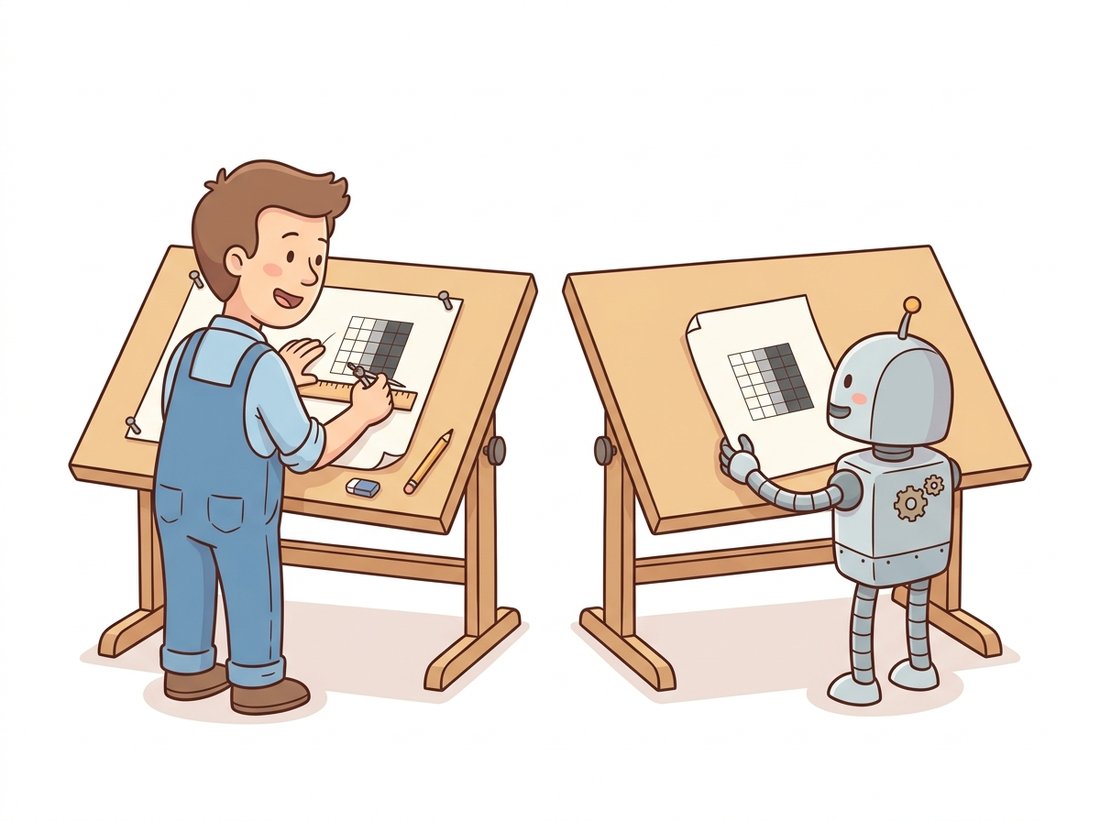
There is something quietly hilarious about it. You spent Chapter 3 hand-crafting Sobel kernels and Section 4.6 building Gabor filters, and a network that was never told edges exist, never shown your kernels, optimizing only "guess the label," walks up and learns the same filters anyway. It is the universe confirming your homework. The takeaway is not "we wasted Chapter 3"; it is the opposite: the edge detector is not an arbitrary choice, it is what falls out when you ask any visual system to be useful. Designed or learned, the first layer always rediscovers the edge. The illustration below stages exactly that coincidence.
2. Feature Maps: What a Layer Responds To Beginner
Past the first layer, the filters operate on abstract features and are no longer directly viewable as images. Instead we inspect feature maps: the activations a specific input produces at a given layer. PyTorch's forward hooks let you capture any layer's output without modifying the model. Feeding an image and visualizing a deep layer's channels shows that some respond to textures, some to specific parts, and many to nothing for this particular image (a sparse response is normal). The code below registers a hook and captures one intermediate activation.
import torch

activations = {}
def save_hook(name):
    def hook(module, inp, out):
        activations[name] = out.detach()   # store the layer's output for this input
    return hook

# Register a hook on a mid-depth layer of the pretrained ResNet-18.
handle = model.layer2.register_forward_hook(save_hook("layer2"))

x = torch.randn(1, 3, 224, 224)            # stand-in for a normalized input image
_ = model(x)                               # forward pass triggers the hook
handle.remove()                            # always remove hooks when done

fmap = activations["layer2"]               # captured activations
print(fmap.shape)                          # torch.Size([1, 128, 28, 28]) -> 128 feature maps
# Each of the 128 channels is a 28x28 map; plot a few with plt.imshow(fmap[0, c].cpu()).A complementary technique is to find the maximally activating patches: run many images through the network and, for a chosen channel, collect the input patches (cropped to that neuron's receptive field from Section 19.3) that produced the strongest activations. The collected patches form a visual definition of what the neuron detects, often strikingly coherent (a "dog face" neuron, a "wheel" neuron), and this is how researchers map the feature hierarchy in practice.
3. Saliency Maps: Which Pixels Mattered Intermediate
The previous lenses describe the network in general; saliency maps explain one specific prediction. The simplest version, vanilla gradient saliency, asks: how much does each input pixel affect the score for the predicted class? That is exactly the gradient of the class score with respect to the input, computed by backpropagation but to the image rather than to the weights. Pixels with large gradient magnitude are the ones a small change to which would most move the prediction, so they are the evidence the network used. Formally, for class score $s_c$ and input image $I$, the saliency at pixel $(x, y)$ is:
$$ M(x, y) \;=\; \max_{\text{channel } k} \left| \frac{\partial s_c}{\partial I_{k, x, y}} \right|. $$
The code below computes a saliency map by enabling gradients on the input and backpropagating the top class score.
import torch

model.eval()
x = torch.randn(1, 3, 224, 224, requires_grad=True)   # gradients flow to the input

scores = model(x)                       # (1, 1000) class logits
top_class = scores.argmax(dim=1)        # the predicted class
score = scores[0, top_class]            # the scalar score we explain

model.zero_grad()
score.backward()                        # d(score)/d(input) lands in x.grad

# Saliency: max absolute gradient across color channels, per pixel.
saliency = x.grad.abs().amax(dim=1)     # shape: (1, 224, 224)
print(saliency.shape)                   # torch.Size([1, 224, 224])
# Bright regions in saliency mark the pixels that most influenced the prediction;
# plot with plt.imshow(saliency[0].cpu(), cmap="hot").4. Grad-CAM: Class-Discriminative Evidence Intermediate
Vanilla saliency is noisy and not very class-specific. Grad-CAM (Gradient-weighted Class Activation Mapping) gives a cleaner, class-discriminative answer by working at the last convolutional layer, where the feature maps are still spatial but already semantic. It computes how important each feature-map channel is to the target class (by averaging the gradient of the class score over that channel's spatial positions), takes a weighted sum of the feature maps with those importances, and keeps only the positive part. The result is a coarse heatmap, at the resolution of the last conv layer, that localizes the image region driving the prediction. Writing $A^k$ for the $k$-th feature map of the chosen layer, $\alpha_k^c$ for its importance to class $c$, and $Z$ for the number of spatial positions in the map (so the sum over $i, j$ is just an average gradient):
$$ \alpha_k^c = \frac{1}{Z}\sum_{i,j} \frac{\partial s_c}{\partial A^k_{ij}}, \qquad L^c_{\text{Grad-CAM}} = \mathrm{ReLU}\!\left( \sum_k \alpha_k^c\, A^k \right). $$
Grad-CAM is the standard production tool for "why did the model say that?", because it works on any CNN without retraining, is class-specific (you can ask why it said "cat" even when it predicted "dog"), and overlays cleanly on the input. Figure 19.6.2 sketches how Grad-CAM combines a layer's feature maps into a class heatmap.
Who: A clinical-AI group validating a chest X-ray CNN that flagged pneumonia with high reported accuracy across data from several hospitals.
Situation: Before any clinical trial, regulators required evidence that the model attended to lung pathology rather than artifacts.
Problem: Grad-CAM maps over a validation set showed the network's hottest evidence was frequently on the image corners and edges, not the lungs. The corners carried hospital-specific text overlays and laterality markers, and one contributing hospital had a far higher pneumonia rate, so the model had partly learned to read the hospital, not the disease, a shortcut invisible in the headline accuracy.
Decision: Crop out the corner markers, rebalance the training set across hospitals, and retrain, then re-run Grad-CAM as an acceptance gate requiring evidence concentrated in the lung fields.
Result: Accuracy on a hospital-stratified test set dropped from the inflated 96 percent to a trustworthy 89 percent, and the Grad-CAM evidence moved decisively into the lungs. The honest model passed the validation gate; the original would have failed in deployment.
Lesson: A heatmap is not a nicety; for high-stakes models it is a required check that the network's evidence is the evidence a domain expert would use. Grad-CAM caught a dataset-shortcut bug that no accuracy number could have revealed, the same class of failure the plant-disease story in Section 19.5 illustrated, here caught before harm.
The hook bookkeeping, gradient capture, weighting, ReLU, and upsampling of a from-scratch Grad-CAM is roughly fifty lines to get right across architectures. The maintained pytorch-grad-cam library reduces it to: pick a target layer, construct GradCAM(model, target_layers=[model.layer4[-1]]), and call it on an input to get the heatmap, with more than a dozen related methods (Grad-CAM++, Score-CAM, Eigen-CAM, Ablation-CAM) behind the same API. It also handles batched inputs, multiple target classes, and the overlay rendering. Write the hook version once to understand the gradient flow, as the saliency example above does, then use the library for anything real.
CNN interpretability moved well beyond heatmaps in 2022-2026. Feature visualization by optimization, synthesizing the input that maximally activates a neuron (the OpenAI/Distill "Circuits" line, and Microscope-style atlases), is now applied to vision backbones to name individual units. The mechanistic-interpretability program, originally for transformers, has extended to vision: work on sparse autoencoders for vision features (2024-2025) decomposes a layer's activations into human-nameable concepts, and "automated interpretability" uses a language model to caption what each vision neuron detects. There is also a sharper critique: Adebayo et al.'s sanity checks showed some saliency methods produce plausible maps even on randomized models, so the field now demands that an attribution method pass model-randomization and data-randomization tests before it is trusted. The practical message for 2026: heatmaps are a first probe, not a proof, and rigorous interpretability comes with its own validation discipline.
This closes Chapter 19. You can now derive the convolutional layer from first principles, configure it with channels, stride, padding, and dilation, reason about its receptive field and feature hierarchy, stabilize a deep stack with normalization, train a complete network end to end, and open the trained model to see what it learned. The chapter's arc, from the hand-designed kernels of Chapter 3 to filters that rediscover them, is complete. The hands-on lab below pulls every thread of the chapter into one artifact you build and run; after it, Chapter 20 takes the conv-BN-ReLU block you assembled here and shows the great architectures built from it, from LeNet to ResNet to ConvNeXt, and the design decisions that separate a good network from a state-of-the-art one.
Objective. Build, train, and then open a small convolutional network on CIFAR-10, producing a single shareable figure (a "report card") that places, side by side, the network's first-layer filters, a feature-map activation, a saliency map, and a Grad-CAM heatmap for the same test image. The artifact ties the whole chapter together: the layer of Sections 19.2 to 19.4, the training of Section 19.5, and the four visualization techniques of this section.
What You'll Practice
- Assembling the conv-BN-ReLU block (Sections 19.2 and 19.4) into a trainable network with global average pooling (Section 19.3).
- Running a complete CIFAR-10 training loop with augmentation and a learning-rate schedule (Section 19.5).
- Reading first-layer filters as learned edge and color-opponent kernels that echo Chapter 3.
- Capturing an intermediate feature map with a forward hook and a class-evidence map with Grad-CAM (this section).
- Composing the four views into one labeled figure you can put in a portfolio.
Setup
Runs in Colab or any machine with PyTorch. A GPU trains in a few minutes; CPU works but is slower, so reduce the epoch count if you have no GPU.
pip install torch torchvision matplotlibSteps
Step 1: Reuse the network and train it
Bring over the conv_block helper and SmallCNN from Section 19.5 and run the training loop until the network is past 75 percent test accuracy. You only need a trained model and the test set here, so keep this short.
import torch, torch.nn as nn, torchvision, torchvision.transforms as T

device = "cuda" if torch.cuda.is_available() else "cpu"

# TODO: paste conv_block and SmallCNN from Section 19.5, then train for ~20 epochs.
# Hint: the only outputs this lab needs are the trained `model` (in eval mode)
#       and a `test_loader` over un-normalized-friendly CIFAR-10 test images.
model = ...        # trained SmallCNN().to(device)
model.eval()
Hint
If you saved a checkpoint in Section 19.5, just load it with model.load_state_dict(torch.load("smallcnn.pt")) and skip retraining. Keep the normalization mean and std you trained with; you will need them to invert the normalization for display.
Step 2: Pick one image and run a forward pass
Choose a correctly classified test image. You will reuse this single image for all four views so the report card tells one coherent story.
import torchvision.transforms.functional as TF

CLASSES = ["plane","car","bird","cat","deer","dog","frog","horse","ship","truck"]
img, label = next(iter(test_loader))          # take a batch
x = img[0:1].to(device)                        # keep batch dim: shape (1, 3, 32, 32)

# TODO: run the model on x, confirm the prediction matches label[0],
#       and store the predicted class index in `pred`.
pred = ...
print("true:", CLASSES[label[0]], "| pred:", CLASSES[pred])
Hint
logits = model(x); pred = logits.argmax(1).item(). If the first image is misclassified, loop until you find one where pred == label[0]; a clean prediction makes the saliency and Grad-CAM maps easier to interpret.
Step 3: View 1, the first-layer filters
Read the weights of the very first Conv2d and tile them into a grid. Trained on color photographs, several should resemble oriented edges and color-opponent blobs, the learned cousins of the Sobel and Gabor kernels of Chapter 3.
# TODO: grab the first conv layer's weight tensor (shape: out_ch, 3, 3, 3),
#       normalize each filter to [0, 1] for display, and build a tile grid.
first_conv = ...           # the first nn.Conv2d module in the model
W = first_conv.weight.detach().cpu()
# Hint: per-filter min-max normalize, then torchvision.utils.make_grid(W, nrow=8)
filter_grid = ...
Hint
Find the layer with next(m for m in model.modules() if isinstance(m, nn.Conv2d)). Normalize with W = (W - W.amin((1,2,3),keepdim=True)) / (W.amax((1,2,3),keepdim=True) - W.amin((1,2,3),keepdim=True) + 1e-8), then make_grid(W, nrow=8, padding=1).
Step 4: View 2, an intermediate feature map
Register a forward hook on a mid-network conv layer to capture its activation for your image, then display one channel. Bright regions show where that learned feature fired.
activation = {}
def hook(module, inp, out):
    activation["feat"] = out.detach()

# TODO: register the hook on a middle conv layer, run the forward pass again,
#       then select one channel of activation["feat"][0] to display.
handle = ...               # target_layer.register_forward_hook(hook)
_ = model(x)
handle.remove()
feat_channel = ...         # e.g. activation["feat"][0, 0].cpu()
Hint
Pick a layer from the second or third stage so the feature is more abstract than a raw edge. After the forward pass, activation["feat"] has shape (1, C, H, W); activation["feat"][0].mean(0) averages all channels into one summary map if a single channel looks empty.
Step 5: View 3, a vanilla saliency map
Backpropagate the predicted-class score to the input pixels. The per-pixel gradient magnitude is the saliency map: it shows which pixels, if nudged, would most change the score.
x_in = x.clone().requires_grad_(True)
score = model(x_in)[0, pred]
# TODO: backprop `score`, then reduce x_in.grad over the color channels
#       (max of absolute value) to a single-channel saliency map.
score.backward()
saliency = ...             # shape (32, 32)
Hint
saliency = x_in.grad.abs()[0].amax(0).cpu(). Normalize it to [0, 1] before display so the colormap uses its full range.
Step 6: View 4, a Grad-CAM heatmap
Grad-CAM weights the last convolutional feature map by the gradient of the class score, giving a coarse but class-discriminative heatmap. Reuse the hooked feature from Step 4 if it is your last conv stage, or hook the final conv layer here.
# TODO: capture the last conv layer's activations AND their gradients,
#       compute channel weights = global-average-pooled gradients,
#       form cam = ReLU(sum_c weight_c * activation_c), upsample to 32x32.
cam = ...                  # shape (32, 32), normalized to [0, 1]
Hint
Register both a forward hook (store out) and a full backward hook (store grad_output[0]) on the final conv layer, run the forward and a backward() on the class score, then weights = grads.mean((2,3), keepdim=True); cam = (weights * acts).sum(1).relu()[0]. Upsample with torch.nn.functional.interpolate(cam[None,None], size=(32,32), mode="bilinear").
Step 7: Compose the report card
Lay the four views out with matplotlib: the input image, the filter grid, the feature map, and the saliency and Grad-CAM overlays. Title it with the true and predicted classes and save it.
import matplotlib.pyplot as plt
# TODO: build a 2x3 grid of subplots: input, first-layer filters, feature map,
#       saliency overlay, Grad-CAM overlay. Add a suptitle with true/pred labels.
#       Save with plt.savefig("cnn_report_card.png", dpi=150, bbox_inches="tight").
Hint
To overlay a heatmap on the image, first invert the training normalization to recover a displayable RGB image, show it with imshow, then overlay the map with imshow(map, cmap="jet", alpha=0.5).
Expected Output
A single saved PNG, cnn_report_card.png, with six panels for one CIFAR-10 image. The first-layer filter grid should show several recognizable oriented edges and a few color-opponent (red/green, blue/yellow) filters. The saliency and Grad-CAM panels should both concentrate evidence on the object rather than the background for a confidently and correctly classified image; if they land on the background, you have likely found a dataset shortcut. A typical run reaches roughly 80 to 85 percent test accuracy for the trained SmallCNN before you generate the figure.
Stretch Goals
- Library shortcut (the "Right Tool"). Replace your hand-written Grad-CAM (Steps 6) with three lines from
pytorch-grad-cam:from pytorch_grad_cam import GradCAM; cam = GradCAM(model, target_layers=[last_conv]); heatmap = cam(input_tensor=x)[0]. Confirm it matches your from-scratch map, then note how much hook bookkeeping it removed. - Misclassification study. Regenerate the report card for an image the network gets wrong and contrast where the evidence falls; connect it to Exercise 19.6.3.
- Sanity check. Re-run saliency on a randomly initialized (untrained) copy of the network. If the map still looks structured, you have reproduced the Adebayo et al. critique from the Research Frontier above: a saliency method that ignores the weights is not explaining the model.
Complete Solution
import torch, torch.nn as nn, torch.nn.functional as F
import torchvision, torchvision.transforms as T
from torchvision.utils import make_grid
import matplotlib.pyplot as plt

device = "cuda" if torch.cuda.is_available() else "cpu"
MEAN = (0.4914, 0.4822, 0.4465); STD = (0.2470, 0.2435, 0.2616)
CLASSES = ["plane","car","bird","cat","deer","dog","frog","horse","ship","truck"]

# ---- Step 1: network (conv-BN-ReLU block + SmallCNN) and a short training run ----
def conv_block(in_ch, out_ch, stride=1):
    return nn.Sequential(
        nn.Conv2d(in_ch, out_ch, 3, stride=stride, padding=1, bias=False),
        nn.BatchNorm2d(out_ch), nn.ReLU(inplace=True))

class SmallCNN(nn.Module):
    def __init__(self, n=10):
        super().__init__()
        self.features = nn.Sequential(
            conv_block(3, 32),  conv_block(32, 32, stride=2),    # 32x32 -> 16x16
            conv_block(32, 64), conv_block(64, 64, stride=2),    # 16x16 -> 8x8
            conv_block(64,128), conv_block(128,128, stride=2))   # 8x8 -> 4x4
        self.head = nn.Linear(128, n)
    def forward(self, x):
        x = self.features(x)
        x = F.adaptive_avg_pool2d(x, 1).flatten(1)               # global average pool
        return self.head(x)

train_tf = T.Compose([T.RandomCrop(32, padding=4), T.RandomHorizontalFlip(),
                      T.ToTensor(), T.Normalize(MEAN, STD)])
test_tf  = T.Compose([T.ToTensor(), T.Normalize(MEAN, STD)])
train_set = torchvision.datasets.CIFAR10("./data", train=True,  download=True, transform=train_tf)
test_set  = torchvision.datasets.CIFAR10("./data", train=False, download=True, transform=test_tf)
train_loader = torch.utils.data.DataLoader(train_set, 128, shuffle=True,  num_workers=2)
test_loader  = torch.utils.data.DataLoader(test_set,  256, shuffle=False, num_workers=2)

model = SmallCNN().to(device)
opt = torch.optim.SGD(model.parameters(), lr=0.1, momentum=0.9, weight_decay=5e-4)
EPOCHS = 20
sched = torch.optim.lr_scheduler.CosineAnnealingLR(opt, EPOCHS)
for epoch in range(EPOCHS):
    model.train()
    for xb, yb in train_loader:
        xb, yb = xb.to(device), yb.to(device)
        opt.zero_grad()
        F.cross_entropy(model(xb), yb).backward()
        opt.step()
    sched.step()
model.eval()

# ---- Step 2: pick one correctly classified image ----
imgs, labels = next(iter(test_loader))
idx = 0
for i in range(imgs.size(0)):
    xi = imgs[i:i+1].to(device)
    if model(xi).argmax(1).item() == labels[i].item():
        idx = i; break
x = imgs[idx:idx+1].to(device)
label = labels[idx].item()
pred  = model(x).argmax(1).item()
print("true:", CLASSES[label], "| pred:", CLASSES[pred])

def denorm(t):  # invert normalization for display, returns HxWx3 in [0,1]
    t = t.detach().cpu()[0].clone()
    for c in range(3): t[c] = t[c]*STD[c] + MEAN[c]
    return t.clamp(0,1).permute(1,2,0).numpy()

# ---- Step 3: first-layer filters ----
first_conv = next(m for m in model.modules() if isinstance(m, nn.Conv2d))
W = first_conv.weight.detach().cpu()
W = (W - W.amin((1,2,3),keepdim=True)) / (W.amax((1,2,3),keepdim=True) - W.amin((1,2,3),keepdim=True) + 1e-8)
filter_grid = make_grid(W, nrow=8, padding=1).permute(1,2,0).numpy()

# ---- Step 4: a mid-network feature map ----
convs = [m for m in model.modules() if isinstance(m, nn.Conv2d)]
mid_layer  = convs[len(convs)//2]
last_conv  = convs[-1]
acts, grads = {}, {}
h1 = mid_layer.register_forward_hook(lambda m,i,o: acts.__setitem__("mid", o.detach()))
h2 = last_conv.register_forward_hook(lambda m,i,o: acts.__setitem__("last", o))
h3 = last_conv.register_full_backward_hook(lambda m,gi,go: grads.__setitem__("last", go[0].detach()))

# ---- Step 5 + 6: saliency and Grad-CAM in one forward/backward ----
x_in = x.clone().requires_grad_(True)
logits = model(x_in)
score = logits[0, pred]
model.zero_grad(); score.backward()
saliency = x_in.grad.abs()[0].amax(0).cpu()
saliency = (saliency - saliency.min()) / (saliency.max() - saliency.min() + 1e-8)
feat_channel = acts["mid"][0].mean(0).cpu()                      # averaged feature map
weights = grads["last"].mean((2,3), keepdim=True)               # global-average-pooled grads
cam = (weights * acts["last"]).sum(1).relu()[0]                 # ReLU(weighted sum)
cam = F.interpolate(cam[None,None], size=(32,32), mode="bilinear", align_corners=False)[0,0]
cam = (cam - cam.min()) / (cam.max() - cam.min() + 1e-8)
cam = cam.detach().cpu()
for h in (h1, h2, h3): h.remove()

# ---- Step 7: compose and save the report card ----
rgb = denorm(x)
fig, ax = plt.subplots(2, 3, figsize=(11, 7))
ax[0,0].imshow(rgb);                         ax[0,0].set_title("input")
ax[0,1].imshow(filter_grid);                 ax[0,1].set_title("first-layer filters")
ax[0,2].imshow(feat_channel, cmap="viridis");ax[0,2].set_title("mid feature map")
ax[1,0].imshow(saliency, cmap="hot");        ax[1,0].set_title("saliency")
ax[1,1].imshow(rgb); ax[1,1].imshow(saliency, cmap="jet", alpha=0.5); ax[1,1].set_title("saliency overlay")
ax[1,2].imshow(rgb); ax[1,2].imshow(cam, cmap="jet", alpha=0.5);      ax[1,2].set_title("Grad-CAM")
for a in ax.ravel(): a.axis("off")
fig.suptitle(f"CNN report card  |  true: {CLASSES[label]}   pred: {CLASSES[pred]}", fontsize=13)
plt.tight_layout()
plt.savefig("cnn_report_card.png", dpi=150, bbox_inches="tight")
print("saved cnn_report_card.png")
Before running any code, predict what the first-layer filters of a CNN trained on grayscale handwritten digits (MNIST) would look like, and how they would differ from those of a network trained on natural color photographs (ImageNet). Address two specifics: would you expect color-opponent filters, and why, and would you expect the same variety of edge orientations. Tie your reasoning to the role of the first-layer receptive field from Section 19.3.
Take your trained SmallCNN from Section 19.5 and a correctly classified CIFAR-10 test image. Compute its vanilla gradient saliency map using the recipe in this section (enable requires_grad on the input, backpropagate the predicted-class score, take the per-channel max absolute gradient). Overlay the saliency on the image and describe whether the bright pixels fall on the object. Then repeat for an image the network misclassifies and contrast where the evidence lies.
Using Grad-CAM (the library is fine) on your trained SmallCNN, generate class heatmaps for ten test images spanning several classes. Look for any systematic tendency to place evidence off the object, on backgrounds, borders, or recurring textures. Write a short analysis: is there evidence of a dataset shortcut like the ones in the pneumonia and plant-disease examples, and if so, what change to the data or augmentation would you propose to remove it? If not, what does the evidence concentration tell you about the network's reliance on the feature hierarchy of Section 19.3?