"Load, validate, transform, measure, save. Eat, sleep, threshold, repeat."
A Disciplined Batch-Processing Script
Every vision system in this book, however sophisticated, has the same skeleton: load, validate, transform, measure, save; this section builds that skeleton once, end to end, at the smallest useful scale. The transforms will get smarter (filters in Chapter 3, networks in Part III, samplers in Part IV) and the measurements deeper (from PSNR here to the distribution metrics of Chapter 37), but the skeleton you assemble in the next few pages never changes shape again.
Here is the quiet payoff of everything so far: the same five-box skeleton you are about to write by hand, in ninety readable lines, is the exact shape hiding inside a production object detector and a billion-parameter diffusion sampler. Learn it once now and you will recognize it for the rest of the book. The four preceding sections each delivered one competence: the array model (0.1), the library map (0.2), the I/O boundary (0.3), and the convention contract (0.4). This section spends them all on a single concrete task, deliberately modest: given a photograph, produce a cleaned grayscale version, a foreground mask, a handful of quality numbers, and a results folder a colleague could audit. Modest, and yet structurally identical to production systems a thousand times its size.
1. Anatomy of a Vision Pipeline Beginner
Figure 0.5.1 names the five stages and, more importantly for this book, shows where each one is deepened later. Reading pipelines as instances of this template is a transferable skill: when you meet a training data loader in Chapter 21 or an evaluation harness for generated images in Part IV, you will recognize the same five boxes wearing different costumes. Every vision system in this book, however sophisticated, has the same skeleton, pictured below as a small assembly line.
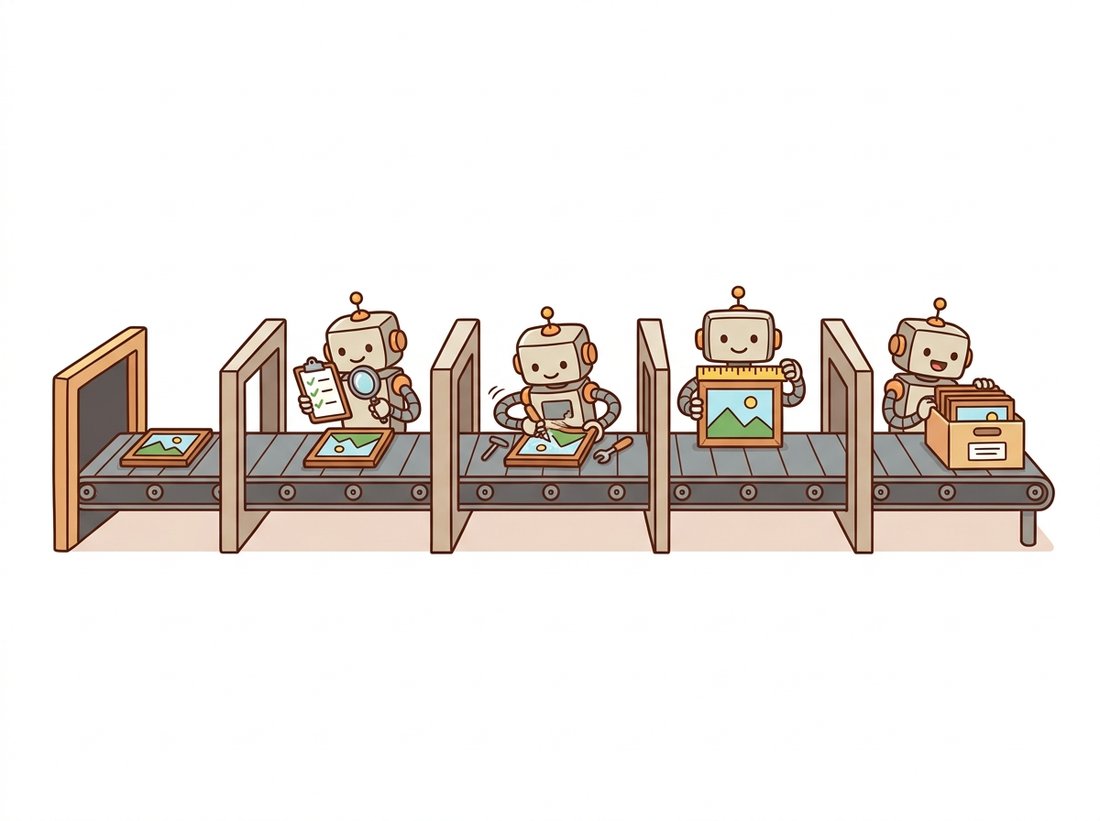
Two of the five boxes are routinely skipped by beginners and never by professionals: validate (the contract checks of Section 0.4) and measure. Measurement is what turns "the output looks fine" into "mean brightness 131.4, foreground coverage 23.7 percent, PSNR versus original 31.2 dB", numbers that can be logged, compared across versions, and alarmed on. Pipelines fail at the seams, and numbers at the seams are how you notice.
Compress the whole chapter into a single line you can recite at a whiteboard: Load, Validate, Transform, Measure, Save. The two verbs beginners drop are the two in the middle of that list, Validate and Measure, which is exactly why the line is worth memorizing as five and not three. Every system in this book, from an Otsu threshold to a diffusion sampler, is these five verbs with smarter boxes.
2. The Pipeline, Top to Bottom Beginner
We build the system in three fragments: helpers, metrics, and the orchestrating main. Together they form one runnable script of about ninety lines. The task: convert to grayscale, suppress sensor noise with a light Gaussian blur, segment the bright foreground with Otsu's automatic threshold (previewing Chapter 2), and report what happened. Otsu's method picks the cutoff brightness that best separates dark pixels from bright ones by inspecting the image's own histogram, which is why the code passes a threshold of 0: that value is ignored, and OpenCV computes the real one for you. So that the script runs anywhere, it synthesizes a test scene if no input path is given; with an argument, it processes your photo instead.
"""first_pipeline.py: load, validate, transform, measure, save."""
from pathlib import Path
import json, sys, time
import numpy as np
import cv2

def synthesize_scene(h=480, w=640, seed=0) -> np.ndarray:
    """A synthetic 'photo': dark background, bright blobs, sensor noise."""
    rng = np.random.default_rng(seed)
    img = np.full((h, w), 60, np.float32)               # dark background
    for _ in range(6):                                   # bright elliptical blobs
        cy, cx = rng.integers(60, h-60), rng.integers(80, w-80)
        axes = (int(rng.integers(25, 70)), int(rng.integers(20, 50)))
        cv2.ellipse(img, (cx, cy), axes, float(rng.uniform(0, 180)),
                    0, 360, float(rng.uniform(170, 230)), -1)
    img += rng.normal(0, 10, (h, w)).astype(np.float32)  # additive noise
    bgr = cv2.cvtColor(img.clip(0, 255).astype(np.uint8), cv2.COLOR_GRAY2BGR)
    return bgr

def load_validated(path: str | None) -> np.ndarray:
    """Stage 1 + 2: read (or synthesize) and check the contract."""
    if path is None:
        img = synthesize_scene()
    else:
        img = cv2.imread(path, cv2.IMREAD_COLOR)        # uint8 BGR by contract
        if img is None:
            raise ValueError(f"Could not read image: {path}")
    assert img.ndim == 3 and img.dtype == np.uint8, (img.shape, img.dtype)
    return img
Next, the transform and measure stages. The transform is three calls; the interesting choices are in the measurement. We record simple statistics, the automatically chosen threshold, the fraction of pixels classified as foreground, and the peak signal-to-noise ratio between the original grayscale and its blurred version, quantifying exactly how much the blur changed the image. PSNR is defined from mean squared error,
$$\mathrm{MSE} = \frac{1}{HW}\sum_{y=0}^{H-1}\sum_{x=0}^{W-1}\bigl(I(y,x) - K(y,x)\bigr)^2, \qquad \mathrm{PSNR} = 10\,\log_{10}\!\frac{255^2}{\mathrm{MSE}},$$
measured in decibels; higher means more similar, with identical images at infinity. Read it loosely as one number: small per-pixel error gives a large PSNR, and a perfect match gives infinity.
Two design choices in that formula are worth unpacking, because they explain why PSNR looks the way it does. The ratio $255^2 / \mathrm{MSE}$ compares the largest possible signal (a full-scale pixel swing of 255) against the typical squared error, so the same absolute error counts as more damaging on a low-contrast image than on a high-contrast one; the metric measures error relative to the available signal, not in raw pixel units. The logarithm then compresses a range that would otherwise span many orders of magnitude (an MSE of 1 versus 100 is a hundredfold change) into the readable single-digit-to-40s decibel scale, and it matches the roughly logarithmic way perceived differences shrink as fidelity climbs: the gap between 20 dB and 30 dB looks far larger than the gap between 40 dB and 50 dB. PSNR is the first member of an evaluation lineage this book follows all the way to the Frechet Inception Distance (FID) in Chapter 37.
def psnr(a: np.ndarray, b: np.ndarray) -> float:
    """Peak signal-to-noise ratio between two same-shape uint8 images, in dB."""
    mse = np.mean((a.astype(np.float64) - b.astype(np.float64)) ** 2)
    return float("inf") if mse == 0 else 10 * np.log10(255.0 ** 2 / mse)

def transform_and_measure(bgr: np.ndarray) -> tuple[dict, dict]:
    """Stages 3 + 4: grayscale, denoise, segment; measure every product."""
    gray    = cv2.cvtColor(bgr, cv2.COLOR_BGR2GRAY)
    blurred = cv2.GaussianBlur(gray, (5, 5), 1.2)
    t, mask = cv2.threshold(blurred, 0, 255,
                            cv2.THRESH_BINARY + cv2.THRESH_OTSU)
    images = {"gray": gray, "blurred": blurred, "mask": mask}
    metrics = {
        "mean_brightness": round(float(gray.mean()), 2),
        "std_brightness":  round(float(gray.std()), 2),
        "otsu_threshold":  float(t),
        "foreground_frac": round(float((mask > 0).mean()), 4),
        "psnr_blur_db":    round(psnr(gray, blurred), 2),
    }
    return images, metrics
Finally, persistence. The pixels go out as lossless PNGs (Section 0.3 explained why not JPEG for intermediate products), and the numbers go into a JSON sidecar together with the input identity, parameters, library versions, and a timestamp, everything a colleague, or you in six months, needs to trust and reproduce the run.
def save_results(images: dict, metrics: dict, outdir="results") -> Path:
    """Stage 5: lossless pixels plus a JSON sidecar of metrics and context."""
    out = Path(outdir); out.mkdir(exist_ok=True)
    for name, img in images.items():
        ok = cv2.imwrite(str(out / f"{name}.png"), img)
        assert ok, f"imwrite failed for {name}"
    sidecar = {
        "metrics": metrics,
        "params":  {"blur_ksize": 5, "blur_sigma": 1.2, "method": "otsu"},
        "env":     {"opencv": cv2.__version__, "numpy": np.__version__},
        "created": time.strftime("%Y-%m-%dT%H:%M:%S"),
    }
    (out / "run.json").write_text(json.dumps(sidecar, indent=2))
    return out

if __name__ == "__main__":
    src = sys.argv[1] if len(sys.argv) > 1 else None
    images, metrics = transform_and_measure(load_validated(src))
    where = save_results(images, metrics)
    print(json.dumps(metrics, indent=2), "\nsaved to:", where.resolve())

# $ python first_pipeline.py
# {
#   "mean_brightness": 78.66,
#   "std_brightness": 45.21,
#   "otsu_threshold": 121.0,
#   "foreground_frac": 0.1373,
#   "psnr_blur_db": 36.13
# }
# saved to: .../results        (exact values vary slightly per platform)
Nothing in this pipeline is clever; everything in it is observable. Each stage hands the next a validated artifact, and each artifact has a number attached. When a future change (a new camera, a library upgrade, a different blur) shifts behavior, the JSON sidecars tell you what moved, by how much, and exactly when it started. Build this habit at toy scale now: in Part III, the same instinct, applied as loss curves and validation metrics, is the difference between training models and merely running them.
Who: A data scientist at an agritech company estimating crop canopy cover from fixed field cameras.
Situation: Leadership wanted "AI for canopy analytics"; the team had three weeks, a few thousand unlabeled photos, and no annotation budget.
Problem: Training a segmentation model without labels was impossible in the time frame, but stakeholders needed numbers they could start validating against agronomy ground truth immediately.
Decision: Ship exactly the pipeline of this section first: validated load, illumination-robust preprocessing, Otsu threshold on a vegetation-sensitive channel, coverage fraction in a JSON sidecar per photo, lossless masks archived for audit.
Result: The classical baseline tracked agronomist estimates well on roughly four fields out of five, generating both immediate product value and, as a byproduct, thousands of draft masks that later seeded the labeling effort for a proper segmentation model, the kind built in Chapter 24.
Lesson: A measured classical baseline is never wasted: it delivers value early, exposes the hard cases, and bootstraps the data for whatever learns to replace it.
3. Reading the Numbers Intermediate
Run the script a few times with different seeds and watch the metrics move; this is the cheapest intuition-building exercise in the chapter. The Otsu threshold lands between the background level (around 60) and the blob brightnesses (170 to 230), exactly where a histogram of the scene has its valley, an idea Chapter 2 develops into a complete theory of automatic thresholding. The PSNR of the blur, in the mid-30s of decibels, quantifies "gentle smoothing": strong enough to suppress the $\sigma = 10$ sensor noise, weak enough to keep edges. And the foreground fraction is the pipeline's actual product, the number a downstream consumer would chart over time.
It is tempting to read PSNR as a perceptual quality score, where more decibels equals a better-looking picture. In fact PSNR measures only per-pixel mean squared error against a reference; it has no model of human vision. A barely visible global brightness shift can crater PSNR while looking perfect, and a structured artifact placed exactly where your eye is drawn (ringing along an edge, blocking on a face) can survive at a flattering PSNR. This is precisely why the field built perceptually motivated metrics such as SSIM (introduced in the library shortcut below) and, for generated images where no pixel-aligned reference even exists, distribution metrics like FID in Chapter 37. Treat PSNR as a sensitive change detector between aligned images, not as a verdict on visual quality.
The PSNR formula you just used to grade a Gaussian blur is the very same one that grades billion-parameter generative models in Chapter 37, give or take a logarithm. The humbling truth of vision evaluation is that a metric rooted in classical signal-to-noise ratio, an idea older than computer vision itself, still shows up, slightly embarrassed, at the after-party for diffusion models. The boxes get smarter; the rulers stay stubbornly old.
Our 4-line psnr is fine for uint8 pairs, but the moment dtypes vary you must handle the peak value per dtype, and the moment you want structural similarity (SSIM), the from-scratch version balloons to 40-plus lines of windowed statistics. scikit-image ships both, battle-tested:
from skimage.metrics import peak_signal_noise_ratio, structural_similarity

p = peak_signal_noise_ratio(gray, blurred)                  # dtype-aware peak
s = structural_similarity(gray, blurred)                    # full SSIM machinery
That is roughly 45 lines replaced by 2, and the library internally handles dtype-dependent data ranges, the Gaussian windowing, and the constants of the SSIM formula, the metric whose perceptual motivation we examine alongside image quality in Chapter 1 and Chapter 7.
4. The Same Skeleton, All the Way Up Beginner
It is worth saying explicitly how far this skeleton travels, because the claim sounds immodest for ninety lines of code. Replace the transform stage with learned convolutions and the measure stage with mean average precision (mAP), and you have the object detectors of Chapter 23; modern frameworks such as Ultralytics' YOLO models hide exactly this load-validate-transform-measure-save loop, letterboxing included (resizing an image to a fixed network input size while padding the borders to preserve its aspect ratio), behind a one-line API. Replace the transform with iterative denoising and the measure with FID, and you have the evaluation loop of a diffusion model. The boxes get extraordinarily smarter; the seams, and the discipline at the seams, are the constant. That constancy is also why the defensive habits of Section 0.4 were worth a whole section: they apply verbatim at every scale.
The 2024-2026 period made pipeline hygiene itself a research and product frontier. Data-centric tooling such as FiftyOne and Voxel51's dataset-QA workflows automate the validate and measure stages across millions of images, catching duplicate, mislabeled, and corrupted samples before training. Promptable segmenters, SAM 2 (Meta AI, 2024) above all, have changed what the transform stage can be: a foundation model that produces masks for arbitrary objects, video included, while still demanding precisely the input contract this chapter teaches (correctly ordered RGB, sane dtypes, known value range). And reproducibility sidecars like our run.json have grown into ecosystem standards: experiment trackers (MLflow, Weights & Biases) and dataset versioning tools (DVC) are, at heart, industrial-strength implementations of "save the metrics, the parameters, and the environment next to the pixels". The toy in this section is small; its shape is the shape of the field.
5. Chapter Coda: What You Can Now Do Beginner
You can describe any image by shape, dtype, range, and channel order; choose the right library for a job and convert at boundaries; move images in and out of files without losing bits you meant to keep; recognize the four convention clashes on sight; and assemble the five-stage skeleton with measurement built in. That is the entire foundation this book asks for. Chapter 1 now rewinds to the moment before imread: how light becomes the array in the first place, and why its values, resolution, and colors are what they are.
Before turning the page, put every habit of this chapter to work at once in the Hands-On Lab below: you will package the five-stage skeleton into a small command-line tool that profiles any image you point it at, runs the pipeline, and writes an auditable report folder you could hand to a colleague.
List every seam in the pipeline of this section (there are at least four: after load, after grayscale, after blur, after threshold) and state, for each, one contract property worth asserting and one metric worth logging. Then identify which single seam, if corrupted silently, would take the longest to notice from the existing run.json alone, and propose the one extra logged number that would close that gap.
Extend first_pipeline.py to accept a directory: process every .jpg and .png inside it, write per-image results to results/<stem>/, and produce a top-level summary.csv with one row per image (filename, all metrics, processing time in milliseconds). Make failures non-fatal: a corrupt file should log an error row and continue. Test with a folder containing at least one deliberately broken file (write three random bytes to fake.jpg).
Run the pipeline on the synthetic scene with Gaussian sigma values 0.5, 1, 2, 4, and 8 (adjust the kernel size to about $6\sigma$, rounded up to odd). Tabulate PSNR, the Otsu threshold, and foreground fraction against sigma. Explain the trends: why does PSNR fall monotonically, why is the foreground fraction stable for small sigma and then degraded for large, and at what sigma does the blur stop being "denoising" and start being "destruction"? Support the last claim with the mask images themselves.
Hands-On Lab: Build an Image Profiler and Pipeline Report Tool
Objective
Build imgreport.py, a single self-contained command-line tool that takes any image file (or a synthetic fallback), prints a one-screen profile of its array contract, runs the load-validate-transform-measure-save pipeline, and writes an auditable report folder containing the processed images, a metrics JSON sidecar, and a contact-sheet PNG. This is the chapter's five competences (array model, library map, I/O boundary, conventions, pipeline) assembled into one tool you would actually keep.
What You'll Practice
- Reading an image and reporting its shape, dtype, value range, and channel order (Sections 0.1 and 0.4).
- Converting between OpenCV BGR and the RGB order Matplotlib expects at the display boundary (Sections 0.3 and 0.4).
- Surviving OpenCV's silent
Noneon a bad path and asserting the data contract before processing (Section 0.3). - Implementing the five-stage skeleton with measurement at the seams (this section).
- Persisting lossless pixels plus a reproducibility sidecar of metrics, parameters, and library versions.
Setup
pip install numpy opencv-python matplotlibNo dataset is required: the tool synthesizes a test scene when you give it no path, so every step runs on a fresh machine. Point it at one of your own photos once the synthetic run works.
Steps
Step 1: Profile the array contract
Before any processing, a good tool tells you exactly what it loaded. Write a function that turns an image array into the four facts that decide what its numbers mean. You can reuse the load_validated and synthesize_scene functions from this section verbatim as the loader.
import numpy as np
import cv2

def profile(img: np.ndarray) -> dict:
    """Report the array contract: shape, dtype, range, channel order."""
    # TODO: return a dict with keys "shape", "dtype", "min", "max", and
    #       "channels" (the size of the last axis, or 1 if img.ndim == 2).
    # Hint: img.shape, str(img.dtype), int(img.min()), int(img.max()).
    ...
Hint
Channel count is img.shape[2] when img.ndim == 3, otherwise 1. Cast NumPy scalars with int(...) so the dict is JSON-serializable later. There is no reliable way to read channel order (BGR versus RGB) from the array alone; that is exactly the convention you must track by hand, so just record that cv2.imread returns BGR.
Step 2: Run the pipeline transform and measure stages
Reuse transform_and_measure from Code Fragment 2 above. It already returns an images dict (gray, blurred, mask) and a metrics dict. Your job in this step is only to call it and confirm the products are what the profile predicted.
# TODO: call transform_and_measure(bgr) and assert that images["mask"]
#       is uint8 and has the same height and width as the input.
# Hint: images["mask"].shape == bgr.shape[:2]
Hint
The mask is single-channel, so its shape is (H, W) while the BGR input is (H, W, 3). Compare bgr.shape[:2] against images["mask"].shape, not the full shapes.
Step 3: Build a contact sheet at the display boundary
Assemble a single PNG that shows the original, grayscale, blurred, and mask side by side. This is where the BGR-versus-RGB pitfall bites: Matplotlib expects RGB, OpenCV gave you BGR, so you must convert exactly once, at this boundary.
import matplotlib.pyplot as plt

def contact_sheet(bgr, images, outpath):
    fig, axes = plt.subplots(1, 4, figsize=(14, 4))
    # TODO: show bgr in the first axis CONVERTED to RGB, then gray, blurred,
    #       and mask (the last three are single-channel, use cmap="gray").
    # Hint: cv2.cvtColor(bgr, cv2.COLOR_BGR2RGB) for the color panel only.
    for ax in axes:
        ax.axis("off")
    fig.tight_layout()
    fig.savefig(outpath, dpi=110)
    plt.close(fig)
Hint
Only the color panel needs COLOR_BGR2RGB. The grayscale, blurred, and mask panels are 2D arrays; pass cmap="gray" and do not convert them. Forgetting the conversion is the exact bug from the chapter-opening Practical Example, now visible as blue-tinted skin tones in your sheet.
Step 4: Persist an auditable report folder
Reuse save_results for the pixels and sidecar, then extend the sidecar to also embed the Step 1 profile, so the report folder records both what came in and what went out.
# TODO: after save_results writes run.json, load it, add a "profile" key
#       holding the Step 1 profile dict, and write it back. Also call
#       contact_sheet(...) to drop contact_sheet.png into the same folder.
# Hint: json.loads((out / "run.json").read_text()) round-trips the sidecar.
Hint
Rather than re-open the file, it is cleaner to pass the profile into a small wrapper that builds the sidecar dict in one place. Either approach is fine as long as run.json ends up with both metrics and profile keys.
Step 5: Wire the command-line entry point
Make the tool usable from a shell: with no argument it profiles and processes the synthetic scene; with one argument it processes that file. Print the profile and metrics, then the report location.
import sys, json

if __name__ == "__main__":
    src = sys.argv[1] if len(sys.argv) > 1 else None
    # TODO: load_validated(src) -> profile -> transform_and_measure
    #       -> save the report folder -> print profile, metrics, and path.
Hint
Keep main thin: it should be five function calls and two print statements. All the real work lives in the helpers you wrote in Steps 1 to 4, which is itself the lesson of this chapter.
Expected Output
Running python imgreport.py with no arguments prints a profile block (shape (480, 640, 3), dtype uint8, range roughly 0 to 255, 3 channels, BGR) followed by the metrics block from this section (mean brightness near 79, an Otsu threshold around 120, foreground fraction near 0.14, blur PSNR in the mid-30s of decibels). The exact numbers vary slightly per platform. On disk you get a results/ folder containing gray.png, blurred.png, mask.png, contact_sheet.png, and a run.json whose top level now holds both a metrics object and a profile object. The contact sheet shows the synthetic scene's bright blobs cleanly separated from the dark background in the rightmost mask panel.
Stretch Goals
- Library Shortcut. Replace the hand-rolled
psnrwithskimage.metrics.peak_signal_noise_ratioand addstructural_similarityto the metrics dict (see the Library Shortcut callout above). About 45 lines of would-be code collapse to 2, and you gain a dtype-aware, perceptually motivated second metric for free. - Round-trip safety check. Read back each PNG you wrote and assert it is bit-identical to the array you saved, proving your output is lossless; then save one panel as JPEG at quality 90 and report the PSNR drop versus the PNG, making the lossy-versus-lossless trade-off of Section 0.3 a number rather than a claim.
- Batch and summarize. Extend the entry point to accept a directory, process every
.jpgand.pnginside it with non-fatal error handling, and write a top-levelsummary.csvwith one row per image, connecting this lab directly to Exercise 0.5.2.
Complete Solution
"""imgreport.py: profile an image, run the pipeline, write an audit report."""
from pathlib import Path
import json, sys, time
import numpy as np
import cv2
import matplotlib.pyplot as plt

def synthesize_scene(h=480, w=640, seed=0) -> np.ndarray:
    rng = np.random.default_rng(seed)
    img = np.full((h, w), 60, np.float32)
    for _ in range(6):
        cy, cx = rng.integers(60, h - 60), rng.integers(80, w - 80)
        axes = (int(rng.integers(25, 70)), int(rng.integers(20, 50)))
        cv2.ellipse(img, (cx, cy), axes, float(rng.uniform(0, 180)),
                    0, 360, float(rng.uniform(170, 230)), -1)
    img += rng.normal(0, 10, (h, w)).astype(np.float32)
    return cv2.cvtColor(img.clip(0, 255).astype(np.uint8), cv2.COLOR_GRAY2BGR)

def load_validated(path: str | None) -> np.ndarray:
    if path is None:
        img = synthesize_scene()
    else:
        img = cv2.imread(path, cv2.IMREAD_COLOR)        # silent None on failure
        if img is None:
            raise ValueError(f"Could not read image: {path}")
    assert img.ndim == 3 and img.dtype == np.uint8, (img.shape, img.dtype)
    return img

def profile(img: np.ndarray) -> dict:
    """Step 1: the four facts that decide what the numbers mean."""
    channels = img.shape[2] if img.ndim == 3 else 1
    return {
        "shape": list(img.shape),
        "dtype": str(img.dtype),
        "min": int(img.min()),
        "max": int(img.max()),
        "channels": channels,
        "channel_order": "BGR (cv2.imread convention)",
    }

def psnr(a: np.ndarray, b: np.ndarray) -> float:
    mse = np.mean((a.astype(np.float64) - b.astype(np.float64)) ** 2)
    return float("inf") if mse == 0 else 10 * np.log10(255.0 ** 2 / mse)

def transform_and_measure(bgr: np.ndarray) -> tuple[dict, dict]:
    """Steps 2: grayscale, denoise, Otsu segment; measure every product."""
    gray = cv2.cvtColor(bgr, cv2.COLOR_BGR2GRAY)
    blurred = cv2.GaussianBlur(gray, (5, 5), 1.2)
    t, mask = cv2.threshold(blurred, 0, 255,
                            cv2.THRESH_BINARY + cv2.THRESH_OTSU)
    assert mask.dtype == np.uint8 and mask.shape == bgr.shape[:2]
    images = {"gray": gray, "blurred": blurred, "mask": mask}
    metrics = {
        "mean_brightness": round(float(gray.mean()), 2),
        "std_brightness": round(float(gray.std()), 2),
        "otsu_threshold": float(t),
        "foreground_frac": round(float((mask > 0).mean()), 4),
        "psnr_blur_db": round(psnr(gray, blurred), 2),
    }
    return images, metrics

def contact_sheet(bgr, images, outpath):
    """Step 3: convert BGR to RGB exactly once, at the display boundary."""
    panels = [("original", cv2.cvtColor(bgr, cv2.COLOR_BGR2RGB), None),
              ("gray", images["gray"], "gray"),
              ("blurred", images["blurred"], "gray"),
              ("mask", images["mask"], "gray")]
    fig, axes = plt.subplots(1, 4, figsize=(14, 4))
    for ax, (title, im, cmap) in zip(axes, panels):
        ax.imshow(im, cmap=cmap)
        ax.set_title(title)
        ax.axis("off")
    fig.tight_layout()
    fig.savefig(outpath, dpi=110)
    plt.close(fig)

def save_report(images, metrics, prof, bgr, outdir="results") -> Path:
    """Step 4: lossless pixels, contact sheet, and a profile-aware sidecar."""
    out = Path(outdir); out.mkdir(exist_ok=True)
    for name, img in images.items():
        assert cv2.imwrite(str(out / f"{name}.png"), img), name
    contact_sheet(bgr, images, out / "contact_sheet.png")
    sidecar = {
        "profile": prof,
        "metrics": metrics,
        "params": {"blur_ksize": 5, "blur_sigma": 1.2, "method": "otsu"},
        "env": {"opencv": cv2.__version__, "numpy": np.__version__},
        "created": time.strftime("%Y-%m-%dT%H:%M:%S"),
    }
    (out / "run.json").write_text(json.dumps(sidecar, indent=2))
    return out

if __name__ == "__main__":                              # Step 5
    src = sys.argv[1] if len(sys.argv) > 1 else None
    bgr = load_validated(src)
    prof = profile(bgr)
    images, metrics = transform_and_measure(bgr)
    where = save_report(images, metrics, prof, bgr)
    print("PROFILE:", json.dumps(prof, indent=2))
    print("METRICS:", json.dumps(metrics, indent=2))
    print("report saved to:", where.resolve())
imgreport.py, assembling Steps 1 to 5 into one runnable tool: profile the contract, run the five-stage pipeline, convert color order only at the display boundary, and persist a report folder with pixels, a contact sheet, and a profile-aware JSON sidecar.