"Lengths, angles, parallelism: I watched them all go. By the time I reached projective, the only thing I still believed in was a straight line."
An Increasingly Permissive Affine Transform
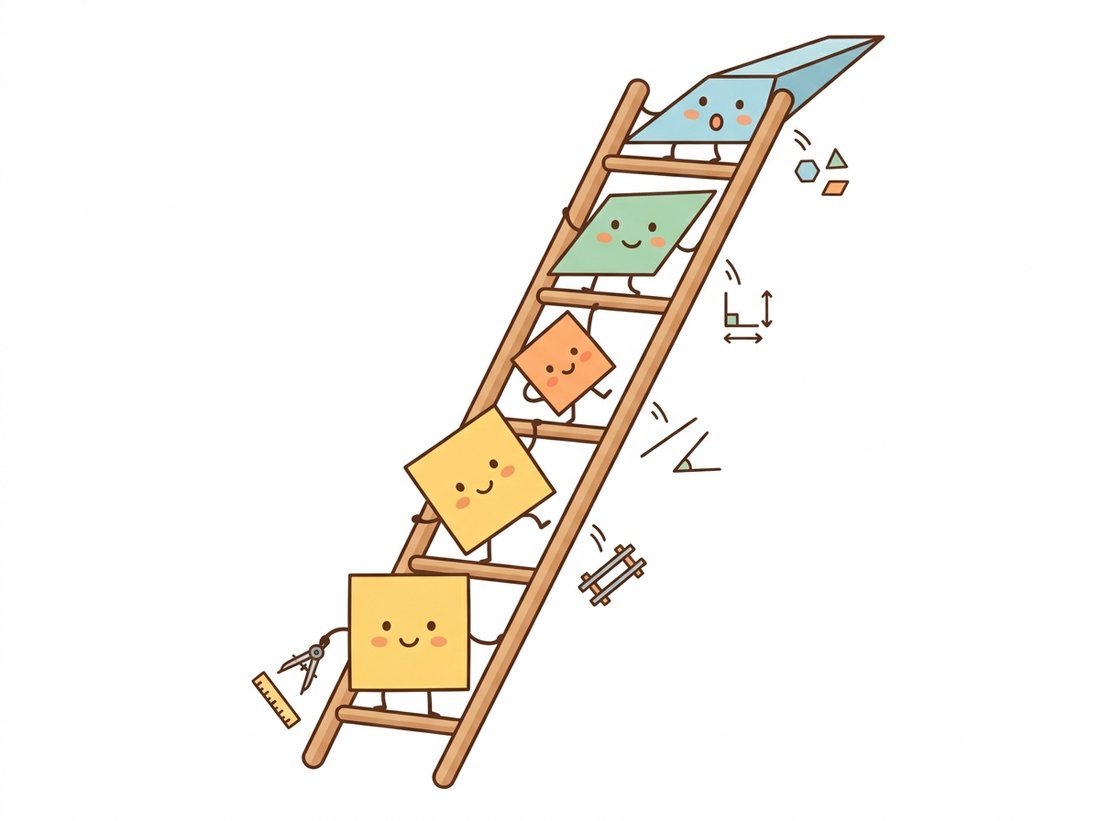
Planar transformations form a nested hierarchy, and each level is defined not by what it changes but by what it leaves alone. Translation preserves everything except position; rigid motion adds rotation; similarity adds scale; affine adds shear while keeping parallel lines parallel; projective keeps only straightness itself. Choosing where on this ladder your problem lives is the first engineering decision of every warping, stitching, and registration task, and choosing too high a rung is as costly as choosing too low.
In Chapter 4 we treated an image as a signal and asked what frequencies it contains. This chapter changes the question entirely: we leave pixel values alone and move the pixels themselves. Before we can move anything, though, we need a vocabulary for the moves. This section builds that vocabulary: five families of transformations, each one a strict superset of the one before, each one trading away an invariant in exchange for expressive power. The opener below captures the everyday payoff of all this machinery: turning a wonky phone snapshot into a flat scan.

1. Why a Hierarchy at All? Beginner
Suppose you photograph a poster twice, taking a step to the side between shots. The two images differ, but not arbitrarily: there is a deterministic geometric relationship between them, a function mapping each point $(x, y)$ in the first image to its counterpart $(x', y')$ in the second. If we restrict ourselves to a flat scene, that function turns out to belong to a small, well-understood family. The art is knowing which family.
The families matter for two practical reasons. First, estimation cost: a transformation with 2 unknown parameters, or degrees of freedom (DoF), can be estimated from a single point correspondence, while one with 8 parameters needs at least four, and every extra parameter is an opportunity for noise to masquerade as geometry. Second, guarantees: if you know your scanner platen only translates the page, you should not use a model that can bend rectangles into trapezoids, because then sensor noise will bend your rectangles into trapezoids. We will see this principle quantified when we estimate transformations from noisy correspondences in Section 5.5.
All the transformations in this section are linear in homogeneous coordinates, a phrase Section 5.2 will unpack carefully. For now, we write each transform as a matrix and trust that multiplying coordinates by the matrix applies the transform. As you read, keep one eye on Figure 5.1.1, which shows what each family does to the same square.
2. The Five Families Intermediate
2.1 Translation: 2 degrees of freedom
The humblest transformation shifts every pixel by the same offset $(t_x, t_y)$:
$$ \begin{bmatrix} x' \\ y' \end{bmatrix} = \begin{bmatrix} x \\ y \end{bmatrix} + \begin{bmatrix} t_x \\ t_y \end{bmatrix} $$Translation preserves everything measurable inside the image: lengths, angles, areas, orientation. It arises whenever the camera and scene shift laterally without rotation: a flatbed scanner carriage, a microscope stage, consecutive frames from a camera on rails. Camera shake between two video frames is often approximately translational, which is why the simplest stabilizers get surprisingly far with this 2-parameter model.
2.2 Rigid (Euclidean): 3 degrees of freedom
Add a rotation by angle $\theta$ and you get rigid motion, also called a Euclidean transformation:
$$ \begin{bmatrix} x' \\ y' \end{bmatrix} = \begin{bmatrix} \cos\theta & -\sin\theta \\ \sin\theta & \cos\theta \end{bmatrix} \begin{bmatrix} x \\ y \end{bmatrix} + \begin{bmatrix} t_x \\ t_y \end{bmatrix} $$Rigid transforms preserve all distances between points (hence "rigid": the image moves like a sheet of metal, not a sheet of rubber). Lengths, angles, and areas are all invariant. This is the model for an object sliding and spinning on a conveyor belt viewed from directly above, or for a perfectly leveled drone yawing in place over flat ground.
2.3 Similarity: 4 degrees of freedom
Multiply the rotation by an isotropic scale factor $s$ and you obtain a similarity transform:
$$ \begin{bmatrix} x' \\ y' \end{bmatrix} = s \begin{bmatrix} \cos\theta & -\sin\theta \\ \sin\theta & \cos\theta \end{bmatrix} \begin{bmatrix} x \\ y \end{bmatrix} + \begin{bmatrix} t_x \\ t_y \end{bmatrix} $$Distances are no longer preserved, but ratios of distances are, and so are angles. Shapes keep their shape; they just grow, shrink, turn, and slide. A camera moving directly toward a flat painting produces a similarity between frames. This four-parameter family (rotation, uniform scale, two translations) is the workhorse of logo detection, face alignment, and most "fit this template at unknown position, orientation, and size" problems.
2.4 Affine: 6 degrees of freedom
Drop the requirement that the $2 \times 2$ block be a scaled rotation and allow any invertible matrix:
$$ \begin{bmatrix} x' \\ y' \end{bmatrix} = \begin{bmatrix} a_{11} & a_{12} \\ a_{21} & a_{22} \end{bmatrix} \begin{bmatrix} x \\ y \end{bmatrix} + \begin{bmatrix} t_x \\ t_y \end{bmatrix} $$Affine transforms can shear and stretch anisotropically, so angles and length ratios die, but three crucial invariants survive: straight lines stay straight, parallel lines stay parallel, and ratios of areas are preserved (every region's area is multiplied by the same factor, $|\det A|$). Midpoints remain midpoints. Affine maps are exactly what a distant camera (or an orthographic projection) does to a flat scene: aerial imagery of flat terrain from high altitude is affine to an excellent approximation, which is why traditional remote-sensing pipelines lived happily at this level of the hierarchy.
2.5 Projective (homography): 8 degrees of freedom
The final generalization allows the transform to be a ratio of linear functions:
$$ x' = \frac{h_{11}x + h_{12}y + h_{13}}{h_{31}x + h_{32}y + h_{33}}, \qquad y' = \frac{h_{21}x + h_{22}y + h_{23}}{h_{31}x + h_{32}y + h_{33}} $$This is the projective transformation, universally called a homography in vision. The denominators are what make railroad tracks converge: points farther away (larger denominator) get compressed, so parallel lines meet at a vanishing point. Only one invariant of consequence remains: collinearity. Straight lines map to straight lines, and that is essentially the whole contract. (A subtler invariant, the cross-ratio of four collinear points, also survives, and metrologists exploit it to measure objects in perspective photographs.)
Two situations produce an exact homography between images, and both are worth memorizing. First, any two photographs of a planar scene, from any two viewpoints, are related by a homography: this is why document scanning, whiteboard capture, and sports-field registration are homography problems. Second, two photographs taken from the same camera center, in any directions, are related by a homography regardless of scene depth: this is why purely rotational panoramas stitch perfectly, as we will exploit in Section 5.5. The "why" behind both facts requires the camera model of Chapter 12, where the homography will be factored as $H = K R K^{-1}$ for pure rotation.
Every parameter you add is a dimension along which noise can corrupt your estimate. If the true motion is a 3-DoF rigid transform and you fit an 8-DoF homography, the five surplus parameters do not politely stay at zero; they chase measurement noise, and your warped image acquires a phantom perspective tilt. Watch what happens with one number: take a rigid scene, add just one pixel of jitter to each matched point, and the recovered homography's two perspective coefficients $(h_{31}, h_{32})$, which should be exactly zero, come back nonzero, enough to swing a far corner of a 1000-pixel image by several pixels of bogus keystone. The rigid model, having no such coefficients, cannot manufacture that error at all. Conversely, fitting affine to a genuinely projective scene leaves systematic misalignment that no amount of data can fix. The hierarchy is a bias-variance dial: climb exactly as high as the physics demands, then stop.
The Key Insight claims surplus parameters chase noise; you can see it happen in one short run. Take four corner points of a 1000-pixel square, add the same rigid transform to make their partners, then jitter each partner by one pixel of Gaussian noise (pts += np.random.randn(4, 2)). Fit a homography with cv2.getPerspectiveTransform on the noisy pairs and print H[2, 0] and H[2, 1], the two perspective coefficients that should be exactly zero for a rigid motion. Watch them come back as small nonzero numbers, then push one far corner through H and see it land several pixels off where the true rigid transform would put it. Re-run a few times: the rigid model has no such coefficients to corrupt, so it cannot manufacture that keystone at all. One pixel of noise in, a visible tilt out.
3. The Hierarchy at a Glance Beginner
Table 5.1.1 condenses the section so far. The "Detect it by" column is the practical one: it tells you which visual symptom indicates that you are one rung too low on the ladder. The Memory Anchor below the table compresses the whole table into two short number sequences worth committing to memory.
| Family | DoF | Min. point pairs | Preserves | Detect it by |
|---|---|---|---|---|
| Translation | 2 | 1 | everything but position | pure shift between frames |
| Rigid | 3 | 2 | lengths, angles, areas | content also rotates |
| Similarity | 4 | 2 | angles, length ratios | content also zooms |
| Affine | 6 | 3 | parallelism, area ratios | rectangles become parallelograms |
| Projective | 8 | 4 | straight lines, cross-ratio | parallels converge to vanishing points |
The "minimum point pairs" column follows from counting equations: each correspondence $(x,y) \leftrightarrow (x',y')$ supplies two equations, so a 6-DoF affine needs three pairs and an 8-DoF homography needs four. These minimal counts will return as the sample sizes RANSAC draws in Section 5.5, and they explain the function signatures you are about to meet in code: cv2.getAffineTransform takes exactly three points, cv2.getPerspectiveTransform exactly four.
Two numbers carry the whole hierarchy. First, the degrees of freedom climb 2, 3, 4, 6, 8 as you move up the five rungs (translation, rigid, similarity, affine, projective); the jump from similarity to affine skips 5 because affine unlocks both shear directions at once. Second, halving each DoF count gives the minimum point pairs: 1, 2, 2, 3, 4, since each pair buys two equations. To recall what each rung surrenders, read the ladder as a single sentence: "position, orientation, scale, angles, parallelism" are given up one at a time, and only straightness survives to the top. If you remember 2-3-4-6-8 and that one-line list, you have reconstructed the entire Table 5.1.1 from memory.
Who: A graphics engineer at a sports-broadcast technology vendor.
Situation: The product overlays a virtual first-down line on live football broadcasts. The line must appear painted on the grass: locked to the field while cameras pan, tilt, and zoom.
Problem: The first implementation registered each frame to a field template with an affine transform, reasoning that 6 parameters were "flexible enough". The line held near midfield but drifted by half a meter near the end zones, exactly where referees look.
Decision: A teammate pointed out that the field is a plane viewed by a perspective camera, so the frame-to-template map is a homography, not an affine transform. The pipeline switched to a 4-point homography estimated per frame from detected field lines.
Result: Drift fell below one pixel across the entire field, including the high-perspective sideline cameras. The affine model had been systematically unable to represent the convergence of the yard lines.
Lesson: When the scene is a plane and the camera projects with perspective, no amount of affine fitting will save you. Identify where the physics sits in the hierarchy first; tune second.
4. The Hierarchy in Code Intermediate
Let us make each family concrete with OpenCV. The code below builds one transform per family and applies it to a test image. As covered in Chapter 1, OpenCV images are NumPy arrays indexed [row, col], but transformation APIs speak $(x, y)$ coordinates, so keep your axes straight. (If your imaging stack is not installed yet, Chapter 0 walks through the setup.)
# Build one representative matrix for each of the first four transform
# families and apply them all through the same warpAffine entry point.
# Each is just a 2x3 affine matrix with progressively looser constraints.
import cv2
import numpy as np

img = cv2.imread("poster.jpg")           # any test photo, H x W x 3
h, w = img.shape[:2]
center = (w / 2, h / 2)                  # (x, y), not (row, col)!

# Translation: shift right 40 px, down 25 px (2 DoF)
M_trans = np.float32([[1, 0, 40],
                      [0, 1, 25]])

# Rigid: rotate 15 degrees about the center, scale = 1.0 (3 DoF)
M_rigid = cv2.getRotationMatrix2D(center, angle=15, scale=1.0)

# Similarity: same rotation plus a uniform 0.8x zoom (4 DoF)
M_sim = cv2.getRotationMatrix2D(center, angle=15, scale=0.8)

# Affine: fully determined by where any 3 points land (6 DoF)
src_tri = np.float32([[0, 0], [w - 1, 0], [0, h - 1]])
dst_tri = np.float32([[0, h * 0.10], [w * 0.92, 0], [w * 0.08, h * 0.95]])
M_aff = cv2.getAffineTransform(src_tri, dst_tri)

# All four are 2x3 matrices and use the same warp call:
out_trans = cv2.warpAffine(img, M_trans, (w, h))
out_rigid = cv2.warpAffine(img, M_rigid, (w, h))
out_sim   = cv2.warpAffine(img, M_sim,   (w, h))
out_aff   = cv2.warpAffine(img, M_aff,   (w, h))
cv2.warpAffine; only the projective family needs more.
Note the economy: translation, rigid, similarity, and affine all share the same $2 \times 3$ matrix container and the same warpAffine entry point, because each is just an affine matrix with constraints on its entries. The homography breaks the pattern. Its denominators cannot be expressed in a $2 \times 3$ matrix, so OpenCV gives it a $3 \times 3$ matrix and its own function:
# Projective: fully determined by where any 4 points land (8 DoF)
quad_src = np.float32([[0, 0], [w - 1, 0], [w - 1, h - 1], [0, h - 1]])
quad_dst = np.float32([[35, 60], [w - 80, 18], [w - 25, h - 45], [12, h - 95]])

H = cv2.getPerspectiveTransform(quad_src, quad_dst)
print(H.round(4))
out_proj = cv2.warpPerspective(img, H, (w, h))
[[ 8.391e-01  -7.150e-02   3.500e+01]
 [-5.480e-02   8.102e-01   6.000e+01]
 [-9.300e-05  -1.420e-04   1.000e+00]]
That printed matrix is worth a long look. The top-left $2 \times 2$ block plays the role of rotation, scale, and shear; the right column is translation; and the bottom row $(h_{31}, h_{32})$ is the projective part. Set the bottom row to $(0, 0, 1)$ and you are back to affine. The hierarchy is literally visible in the zero pattern of the matrix, an observation Section 5.2 turns into a complete algebraic framework.
If you wrote the five families as Python classes yourself, with parameter validation, estimation from point pairs, inversion, and composition, you would spend roughly 150 lines. scikit-image ships the whole hierarchy ready-made, mirroring Table 5.1.1 one class per row:
# scikit-image exposes one class per row of the transformation hierarchy.
# Construct a transform from named parameters or estimate it from point
# pairs, then warp with a single generic call regardless of family.
from skimage import transform

t_sim  = transform.SimilarityTransform(rotation=0.26, scale=0.8,
                                       translation=(40, 25))
t_aff  = transform.AffineTransform(shear=0.2)
t_proj = transform.ProjectiveTransform()
t_proj.estimate(quad_src, quad_dst)     # least-squares fit from points

warped = transform.warp(img, t_proj.inverse)   # one call, any family
About 150 lines of bookkeeping reduce to 6. Internally the library handles homogeneous-coordinate conversion, degenerate-configuration checks (three collinear points cannot define an affine map), and the inverse mapping machinery we build by hand in Section 5.4.
5. Reading the World Through Invariants Advanced
There is a deeper way to see the hierarchy, due to Felix Klein's 1872 Erlangen program: a geometry is defined by its group of transformations and the properties they leave invariant. Euclidean geometry studies what rigid motions preserve (distance); affine geometry studies what affine maps preserve (parallelism, ratios along lines); projective geometry studies what homographies preserve (incidence and cross-ratio). The five families are nested groups: composing two similarities yields a similarity, inverting an affine map yields an affine map, and so on down the chain. This closure property is not a curiosity; it is why you can chain warps freely inside one family without ever leaving it, and it is the algebraic backbone of the matrix machinery in Section 5.2.
Invariants also tell you what is recoverable from an image. A single perspective photograph of a building facade destroys angles and length ratios, so you cannot read true distances off the pixels. But it preserves straightness and cross-ratios, so with four known collinear points you can measure anything along that line. Whole forensic and photogrammetric workflows rest on choosing measurements that are invariant under the transform the camera applied. When this book reaches data augmentation in Chapter 21, the same logic returns wearing different clothes: augmenting with transforms from a family teaches a network to be invariant to exactly that family, no more and no less.
Renaissance painters discovered homographies empirically a few centuries before mathematicians named them. Brunelleschi's perspective demonstrations around 1413, and Alberti's "veil" (a gridded transparent screen for tracing a scene), are physically exact implementations of a projective map from the world plane to the canvas plane. Art historians arguing about whether a painter "cheated" with optical aids are, in our vocabulary, debating which transformation family the canvas belongs to.
Classifying and estimating transformations was hand-engineered for decades, but the estimation front end is now thoroughly learned. RoMa (Edstedt et al., CVPR 2024) produces dense, certainty-weighted correspondences that survive extreme viewpoint and illumination changes, feeding the same hierarchy-aware model fitting you met here. GIM (Shen et al., ICLR 2024) trains generalizable matchers self-supervised on internet videos. Most strikingly, DUSt3R (Wang et al., CVPR 2024) and its successor MASt3R (ECCV 2024) skip 2D transform fitting altogether: they regress a 3D pointmap for an uncalibrated image pair and read camera geometry off it, effectively answering "which transformation relates these views?" with full 3D structure. The hierarchy still matters downstream: once correspondences exist, practitioners still choose the smallest adequate model, exactly as Table 5.1.1 prescribes.
6. Choosing a Model: A Field Guide Intermediate
To close, here is the decision procedure this book will use every time a geometric model must be chosen, in this chapter and far beyond it:
- Is the scene flat, or the camera rotating in place? If yes, a homography is exact; consider whether a lower family suffices anyway.
- Is the camera distant relative to depth variation? Then perspective effects are negligible and affine (or lower) is adequate.
- Are scale and rotation physically excluded? A fixed overhead camera over a conveyor sees rigid motion; a scanner sees translation. Use the smaller model and enjoy the noise resistance.
- Does the scene have real 3D parallax with a moving camera? Then no 2D transform in this hierarchy is exact, and you need the epipolar geometry of Chapter 13. The hierarchy's most important lesson is knowing when to leave it.
A homography is the most general transform in this section, so it is tempting to treat it as the universal answer for relating two views. It is not. A homography relates two views only under two specific conditions: the scene is planar (a wall, a document, a sports field), or the camera rotated about a fixed center without translating (a panorama from one spot). The moment the camera moves through a scene with real depth, nearer objects shift more than farther ones (parallax), and no single $3 \times 3$ matrix can reproduce that depth-dependent motion. Fitting a homography anyway aligns one dominant plane and ghosts everything off it. The tell is residual misalignment that grows with an object's distance from the chosen plane, and the cure is the epipolar geometry of Chapter 13, not a higher rung of this 2D ladder.
With the vocabulary established, the natural next question is mechanical: how do we represent, compose, and invert these transforms cleanly in code? The answer, homogeneous coordinates, is one of the most elegant tools in all of computer vision, and it is the subject of Section 5.2.
For each scenario, name the smallest transformation family that exactly relates the two images, and justify it with one sentence: (a) two scans of the same page from the same flatbed scanner, the page nudged between scans; (b) two photos of a wall mural taken from different positions across the street; (c) two frames from a security camera bolted to a wall, filming a parking lot with parked cars at varying depths; (d) the same satellite photographing flat farmland on two passes at slightly different orbital positions and headings.
A similarity transform has 4 DoF, so two point correspondences (4 equations) determine it exactly. Write a function similarity_from_two_points(p1, p2, q1, q2) that returns the 2×3 matrix mapping $p_1 \mapsto q_1$ and $p_2 \mapsto q_2$. Hint: the scale is the ratio of segment lengths and the rotation is the angle between segments. Verify your matrix against cv2.estimateAffinePartial2D on the same two pairs, then test what happens when you feed both functions a third pair that is slightly inconsistent with the first two.
Generate 30 random points, transform them with a known rigid motion (3 DoF), and add Gaussian noise of $\sigma = 1$ pixel to the transformed points. Fit (a) a rigid transform with cv2.estimateAffinePartial2D restricted appropriately, (b) a full affine with cv2.estimateAffine2D, and (c) a homography with cv2.findHomography. For each model, measure the error of the recovered transform on a held-out grid of points (not the noisy training points). Average over 100 trials and explain the ranking you observe in terms of the bias-variance argument from the Key Insight callout.