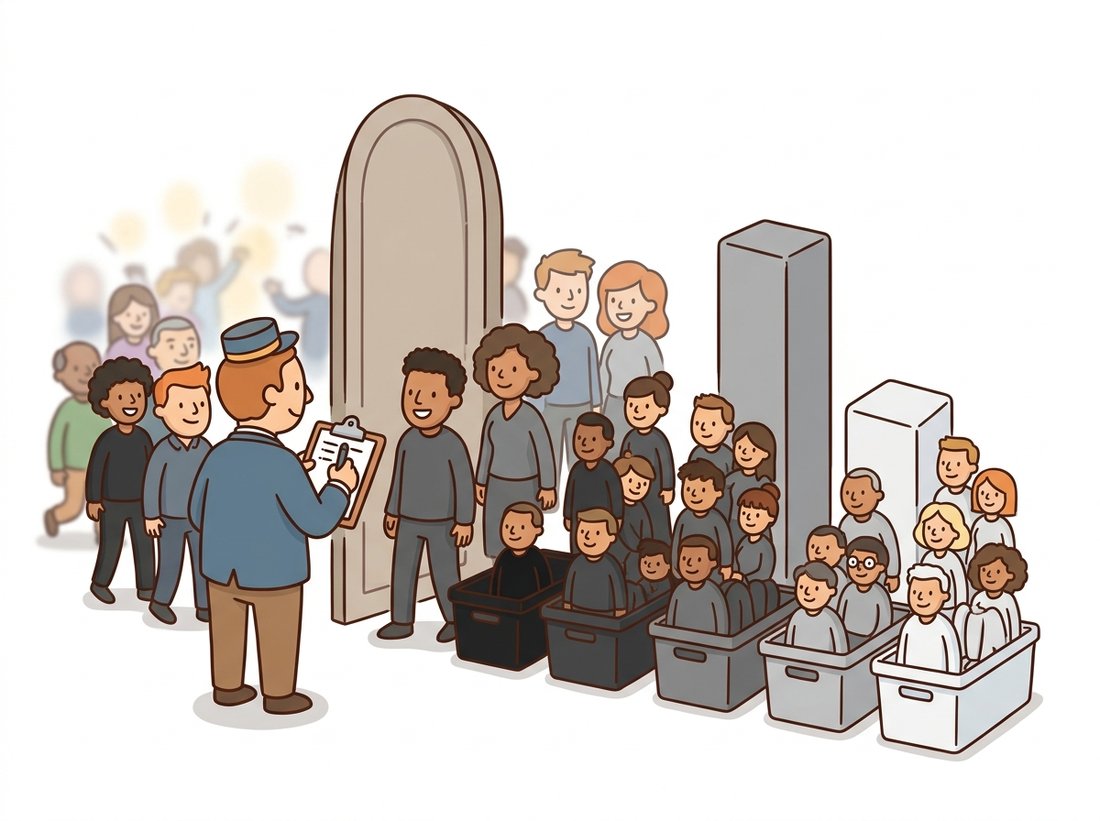
"I have never actually looked at the image. I just count who showed up and read the room."
A Compulsively Counting Histogram Bin
The histogram throws away everything about where pixels are and keeps a perfect record of what values they take, and that one-sided trade turns out to be astonishingly useful. From 256 counts you can diagnose exposure at a glance, summarize an image in a handful of statistics, compare two images in microseconds, and (in the next two sections) derive optimal contrast curves and optimal thresholds. The histogram is the first time in this book that we treat an image as a probability distribution, a viewpoint that runs all the way to the feature-distribution metrics that score generative models in Part IV.
Glance at the brightness graph on your camera before a shot and you are already reading a histogram, the single chart that tells you an exposure is ruined before you ever see the photo. In Section 2.1 a human picked every brightness, contrast, and gamma value by eye, and even our one automated trick (percentile stretching) quietly leaned on the distribution of intensities. This section studies that distribution properly, because the histogram is the diagnostic instrument of image processing: it is what your camera shows on its exposure display, what radiologists' workstations compute behind every window-level control, and what the next two sections will mine for automatic enhancement and segmentation.
1. What a Histogram Is Basic
For a grayscale image $f$ with $L$ intensity levels (for uint8, $L = 256$), the histogram is the function
$$h(k) = \#\{(x, y) : f(x, y) = k\}, \qquad k = 0, 1, \ldots, L-1$$
that counts how many pixels take each value. Dividing by the total pixel count $N$ gives the normalized histogram $p(k) = h(k)/N$, which is exactly the empirical probability distribution of intensity: the probability that a uniformly random pixel of this image has value $k$. The two forms carry identical information; the normalized one lets you compare images of different sizes and plug into probability formulas, which we will do repeatedly.
What the histogram preserves, and what it discards, are equally important. It preserves the full tonal population: how much shadow, how much midtone, how much highlight. It discards all spatial arrangement. A one-line way to remember it: the histogram knows what values are present but never where. Shuffle the pixels of an image into random positions and its histogram does not change by a single count, even though the image becomes unrecognizable noise. Figure 2.2.1 shows the three histogram silhouettes you will learn to recognize instantly: the left-piled histogram of underexposure, the narrow central hump of low contrast, and the broad, well-spread distribution of a properly exposed image. The illustration below personifies that trade: a doorman who counts who arrives by shade but never notes where anyone stands.
A portrait, a beach, and pure shuffled noise can share the identical histogram. This blindness is exactly what makes histogram-based methods robust: a histogram does not care whether the object moved, rotated, or deformed, so exposure diagnosis, equalization, and threshold selection all work regardless of scene layout. Whenever you need spatial information, the histogram is the wrong tool, and Chapters 3 and beyond supply the right ones. Knowing which questions a representation can and cannot answer is half of vision engineering.
2. Computing Histograms Fast Basic
Conceptually a histogram is a loop: for every pixel, increment a counter. In Python, you should never write that loop. The code below shows the three idiomatic ways to compute the same 256-bin histogram, with their typical relative speeds on a 12-megapixel grayscale image.
# Three idiomatic ways to compute the same 256-bin intensity histogram,
# all avoiding an explicit Python pixel loop. The assert at the end
# proves they agree; the differences are speed and flexibility, not result.
import numpy as np
import cv2

gray = cv2.imread("scene.jpg", cv2.IMREAD_GRAYSCALE)   # uint8, shape (H, W)

# 1. np.histogram: general-purpose, any bin edges, any dtype
h1, edges = np.histogram(gray, bins=256, range=(0, 256))

# 2. np.bincount: fastest pure-NumPy route for uint8 (bins ARE the values)
h2 = np.bincount(gray.ravel(), minlength=256)

# 3. cv2.calcHist: OpenCV's engine; supports masks and multi-channel
h3 = cv2.calcHist([gray], channels=[0], mask=None,
                  histSize=[256], ranges=[0, 256]).ravel()

assert (h1 == h2).all() and (h2 == h3.astype(np.int64)).all()
print(h2[:4]) # e.g. [ 1208 1532 1719 2004 ] counts for intensities 0..3assert. For uint8 images, np.bincount on the raveled array is typically several times faster than np.histogram because the pixel values are used directly as bin indices, with no edge comparisons; cv2.calcHist earns its place when a mask or multiple channels are involved.
Each route has its niche. np.histogram handles arbitrary bin edges and float images (useful after the float conversions of Section 2.1). np.bincount wins on speed for uint8 because each pixel value is its own bin index. cv2.calcHist earns its keep when you need a mask (histogram of a region only) or joint multi-channel histograms, which we use below. One practical warning from Chapter 0 applies here: cv2.calcHist returns a float32 column array of shape (256, 1), so .ravel() it before comparing with NumPy results.
Computing a histogram over an arbitrary region from scratch takes a boolean-indexing dance (np.bincount(gray[mask > 0], minlength=256)) plus your own handling of multi-channel layouts, bin ranges, and dtype conversions; a robust version runs 10 to 15 lines. OpenCV does it in one:
hist = cv2.calcHist([img], [0], region_mask, [256], [0, 256])That is roughly a 12-to-1 reduction, and internally calcHist fuses the mask test and the binning in a single SIMD-vectorized pass over the image, never materializing the masked copy that the NumPy fancy-indexing version allocates.
3. Statistics From the Histogram Intermediate
Because $p(k)$ is a probability distribution, every statistic you know from probability applies directly. The mean intensity and variance are
$$\mu = \sum_{k=0}^{L-1} k\, p(k), \qquad \sigma^2 = \sum_{k=0}^{L-1} (k - \mu)^2\, p(k)$$
and a useful single-number summary of tonal richness is the Shannon entropy,
$$H = -\sum_{k:\, p(k) > 0} p(k) \log_2 p(k)$$
measured in bits. Entropy is maximized by a perfectly uniform histogram (when all 256 levels are equally likely the formula gives $\log_2 256 = 8$ bits, exactly the bit depth of the container) and collapses toward 0 as the image approaches a single flat tone. A washed-out, low-contrast image might carry 4 to 5 bits; a rich, well-exposed photograph typically carries 7 or more. That gap is wider than it looks, because entropy counts bits. A photo at 5 bits uses only $2^5 = 32$ effective tones; one at 7 bits uses $2^7 = 128$. Each extra bit of entropy means the image exercises twice as many of the 256 levels it was given. Entropy connects directly back to the quantization discussion of Chapter 1: it measures how much of the container's capacity the image actually uses, and it will reappear conceptually when histogram equalization tries to flatten $p(k)$ in Section 2.3.
# Turn one 256-bin histogram into a compact exposure diagnostic:
# mean and spread, Shannon entropy (tonal richness), robust 2nd/98th
# percentile endpoints from the CDF, and the fractions clipped at 0/255.
import numpy as np

def exposure_report(gray):
    """Histogram-derived exposure diagnostics for a uint8 grayscale image."""
    h = np.bincount(gray.ravel(), minlength=256).astype(np.float64)
    p = h / h.sum()                                  # normalized histogram
    k = np.arange(256)

    mean = (k * p).sum()
    std  = np.sqrt(((k - mean) ** 2 * p).sum())
    nz   = p[p > 0]
    entropy = -(nz * np.log2(nz)).sum()

    cdf = p.cumsum()                                 # cumulative distribution
    p2, p98 = np.searchsorted(cdf, [0.02, 0.98])     # robust range endpoints

    return {
        "mean": round(mean, 1), "std": round(std, 1),
        "entropy_bits": round(entropy, 2),
        "p2": int(p2), "p98": int(p98),
        "clip_lo": round(p[0] * 100, 2),             # % of pixels at 0
        "clip_hi": round(p[255] * 100, 2),           # % of pixels at 255
    }

# Typical output on an underexposed frame:
# {'mean': 41.3, 'std': 28.7, 'entropy_bits': 5.91, 'p2': 4, 'p98': 122,
# 'clip_lo': 3.4, 'clip_hi': 0.0}exposure_report function builds every diagnostic from the histogram alone: mean, standard deviation, entropy, robust percentile endpoints via the cumulative distribution cdf, and the clipping fractions at both ends. The example output (mean 41.3, clip_lo 3.4) reads as "dark, flat, and 3.4 percent of pixels already crushed to black".
Functions like exposure_report are the bread and butter of production vision systems: they run in under a millisecond and answer "is this input even worth sending to the model?" The same statistics computed across an entire dataset, rather than one image, become the channel means and standard deviations used to normalize network inputs, a practice examined in Chapter 21.
Who: A machine-vision engineer at an electronics manufacturer running solder-joint inspection on four assembly lines.
Situation: The defect classifier had run reliably for a year. Over three weeks, line 2's false-reject rate crept from 0.8 percent to 6 percent with no software change.
Problem: Nothing in the model or code had changed, so the team initially suspected a data-drift problem requiring retraining, an expensive multi-week response.
Decision: Before retraining, the engineer added histogram telemetry: per-frame mean, standard deviation, and clip fractions logged for every camera. Line 2's mean intensity had drifted 19 levels darker over the three weeks while all other lines were stable, pointing not at the model but at the input.
Result: Maintenance found a failing LED panel in line 2's illumination dome. Replacing a 60-dollar part restored the false-reject rate within a shift. The histogram telemetry stayed on permanently, with alert thresholds on mean drift and clip fraction.
Lesson: Log the input distribution, not just the model output. A 256-bin histogram per frame is nearly free and catches an entire class of hardware and environment failures before anyone blames the model.
4. Color and Two-Dimensional Histograms Intermediate
For color images, the simplest move is three independent histograms, one per channel. They diagnose color casts immediately: a tungsten-lit indoor shot shows its blue histogram huddled to the left of red and green. But per-channel histograms cannot represent the joint structure of color, since they would not distinguish an image of red and blue patches from an image of uniformly purple pixels. For that you need a joint histogram over two (or more) channels at once. A classic choice, using the HSV decomposition from Chapter 1, is the hue-saturation histogram, which describes the palette of an image while ignoring brightness.
# Build a joint hue-saturation histogram that fingerprints an image's
# palette independent of brightness, then L1-normalize it so two images
# of different sizes are directly comparable as probability grids.
import cv2

img = cv2.imread("beach.jpg")
hsv = cv2.cvtColor(img, cv2.COLOR_BGR2HSV)

# Joint hue-saturation histogram: 30 hue bins x 32 saturation bins.
# Hue in OpenCV uint8 runs 0..179 (degrees / 2), saturation 0..255.
hs_hist = cv2.calcHist([hsv], channels=[0, 1], mask=None,
                       histSize=[30, 32], ranges=[0, 180, 0, 256])
hs_hist = cv2.normalize(hs_hist, None, alpha=1.0, beta=0.0,
                        norm_type=cv2.NORM_L1)        # sums to 1.0

print(hs_hist.shape) # (30, 32): a palette fingerprint of the imagehs_hist: a 30 by 32 grid of probabilities that fingerprints an image's palette independent of brightness, then normalized with cv2.normalize to sum to 1. Note OpenCV's uint8 hue convention of 0 to 179 in the ranges argument, a perennial source of off-by-half-degree bugs.This 960-number palette fingerprint is a genuinely useful image descriptor: it powered the first generation of content-based image retrieval systems, and OpenCV's histogram backprojection uses it to find regions whose colors match a model, an idea that resurfaces in the mean-shift tracking of Part II. Coarse binning (30 by 32 rather than 180 by 256) is deliberate: fewer bins mean more samples per bin, which makes the estimated distribution less noisy and comparisons more stable.
5. Comparing Histograms Intermediate
Once images are distributions, "how similar are these two images?" becomes "how similar are these two distributions?", a question statistics has many answers for. Four are built into OpenCV: correlation, chi-square, intersection, and Bhattacharyya distance. Histogram intersection, $d(p, q) = \sum_k \min(p(k), q(k))$, has a particularly clean reading: the fraction of probability mass the two distributions share.
# Score how alike two images are by comparing their hue-saturation
# distributions with three OpenCV metrics. Correlation and intersection
# rise with similarity; Bhattacharyya is a distance, so lower is closer.
import cv2

def palette_similarity(img_a, img_b):
    """Compare two images by their hue-saturation distributions."""
    hists = []
    for im in (img_a, img_b):
        hsv = cv2.cvtColor(im, cv2.COLOR_BGR2HSV)
        h = cv2.calcHist([hsv], [0, 1], None, [30, 32], [0, 180, 0, 256])
        cv2.normalize(h, h, 1.0, 0.0, cv2.NORM_L1)
        hists.append(h)
    return {
        "correlation":   cv2.compareHist(hists[0], hists[1], cv2.HISTCMP_CORREL),
        "intersection":  cv2.compareHist(hists[0], hists[1], cv2.HISTCMP_INTERSECT),
        "bhattacharyya": cv2.compareHist(hists[0], hists[1], cv2.HISTCMP_BHATTACHARYYA),
    }

# Two frames from the same video shot:
#   {'correlation': 0.97, 'intersection': 0.91, 'bhattacharyya': 0.11}
# A frame versus a different scene:
# {'correlation': 0.23, 'intersection': 0.34, 'bhattacharyya': 0.62}palette_similarity over the three cv2.compareHist metrics. Correlation and intersection increase with similarity while Bhattacharyya is a distance (lower means more similar); the example numbers show the sharp same-shot (correlation 0.97) versus different-scene (0.23) separation that makes this a classic shot-boundary detector.At microseconds per comparison, histogram matching like this still earns a place in modern systems as a prefilter: deduplicating crawled image datasets before expensive embedding models run, detecting shot boundaries in video, and sanity-checking that a camera's color rendition has not drifted between calibration runs. Its descendants are everywhere. The histogram-of-gradients idea extends this section's machinery from intensities to edge orientations and becomes the HOG descriptor of Chapter 16; and comparing distributions of deep features, rather than raw intensities, is precisely how FID scores generative models in Chapter 37.
Seeing correlation 0.97 between two histograms, it is natural to conclude the two images show the same thing. The blindness-to-geometry property above guarantees the opposite can hold: a portrait, a landscape, and shuffled noise can share an identical histogram, so a near-perfect histogram score proves only that the images use the same palette of values, never that they depict the same content. Use compareHist as a cheap prefilter (dedup candidate, shot-boundary flag) and confirm real matches with the spatial descriptors of Chapter 10. The same caution scales up to deep-feature distribution metrics: a strong FID in Chapter 37 measures distribution overlap, not per-image fidelity.
With only the hue-saturation fingerprint from this section and cv2.compareHist, you can build a tool that scans a folder of photos and groups near-duplicates: the same shot saved twice, lightly cropped reposts, or burst frames of one scene. Compute one normalized 30 by 32 palette histogram per image, compare every pair with Bhattacharyya distance, and cluster anything below a tuned threshold. This is precisely the cheap distributional prefilter that real dataset-curation pipelines run before any expensive embedding model, and it makes a compact, demo-ready portfolio project. Complexity: MINI, about 45 to 60 minutes. To keep it honest, remember the geometry-blindness caveat above: confirm a few flagged pairs by eye, since a shared palette is suggestive, not proof.
The histogram mindset, comparing images as distributions, is having a renaissance at dataset and model scale. For generative evaluation, FID compares Gaussian fits of Inception features, and "Rethinking FID" (Jayasumana et al., CVPR 2024) showed those Gaussian assumptions distort rankings, proposing the kernel-based CMMD instead; both are direct intellectual descendants of compareHist. For dataset curation, the DataComp benchmark (2023 onward) and the data pipelines behind foundation models like DINOv2 select and deduplicate billions of images using cheap distributional signatures before any training run. And differentiable histogram layers (Peeples et al., IEEE TAI 2022) embed soft-binned histograms inside networks so texture statistics can be learned end to end. The 256-bin counter from this section scaled up, but never went away.
The live histogram on a mirrorless camera or phone is computed not from the raw sensor data but from the gamma-encoded, white-balanced JPEG preview. Landscape photographers who "expose to the right" using that histogram are reading a distorted distribution: the raw file usually has nearly a stop of highlight headroom the preview histogram does not show. Even at the level of camera firmware, knowing which version of the data your histogram describes matters.
Describe three images that share the exact same histogram as a standard checkerboard (half the pixels at 0, half at 255) yet look completely different from it and from each other. Then name one practical vision task where this ambiguity would cause a histogram-based method to fail, and one task where it is harmless. Justify both choices.
Write a function that processes a video file with cv2.VideoCapture and emits, per frame, the exposure_report dictionary from this section. Add an alert rule: flag any frame whose mean drifts more than 25 levels from the running median of the previous 100 frames, or whose clip fraction at either end exceeds 5 percent. Test it on any video by artificially darkening a segment with the gamma LUT from Section 2.1 and confirm the alert fires.
Using a pair of photographs of the same scene under slightly different lighting and a pair of unrelated photographs, compute hue-saturation histograms at bin resolutions 8x8, 30x32, 90x64, and 180x256, and compare each pair with Bhattacharyya distance. Plot the same-scene and different-scene distances against bin count and write a short analysis: at which resolution is the separation between the two pairs widest, and why do both very coarse and very fine binning hurt?