"My core belief is that every intensity level deserves an equal share of the pixels. My critics call it noise amplification. I call it justice."
A Radically Egalitarian Equalization Curve
Histogram equalization is the moment the histogram stops being a diagnostic and becomes a prescription: the image's own cumulative distribution function is the contrast curve that spreads its intensities as uniformly as possible. No parameters, no human judgment, one line of math. Its failure modes (global blindness and noise amplification) are just as instructive as its successes, and fixing them yields CLAHE, an algorithm from the 1980s and 1990s that still sits in front of state-of-the-art medical and low-light deep learning pipelines today.
What if the image could choose its own contrast curve, with no human turning any dial? In Section 2.1 a human chose the tone curve; in Section 2.2 we learned to measure an image's intensity distribution. This section closes the loop: let the measured distribution choose the curve. The result, histogram equalization, is the first genuinely automatic enhancement algorithm in this book, and the surprise is how far one parameter-free line of math can carry you, and exactly where it betrays you. The chain of fixes that leads from that betrayal to CLAHE is a beautiful case study in how classical algorithms evolve under the pressure of real images, and the payoff is concrete: the fix you derive here still runs in front of state-of-the-art medical and low-light pipelines in 2026.
1. The Equalization Idea: The CDF Is the Curve Intermediate
A low-contrast image wastes its intensity range: its histogram bunches into a narrow band, leaving code values elsewhere unused, as we saw in Figure 2.2.1. The ideal fix would spread the histogram out so all 256 values carry roughly equal population, maximizing the entropy measured in Section 2.2. Remarkably, the transform that achieves this is not some elaborate optimization; it is the image's own cumulative distribution function (CDF). In continuous form, if a random intensity $r$ has density $p_r(r)$, the transformed variable
$$s = T(r) = (L - 1) \int_0^{r} p_r(w)\, dw$$
is uniformly distributed. The intuition for why the CDF specifically: where the histogram is dense, the CDF climbs steeply, so crowded intensities are pulled far apart; where the histogram is sparse, the CDF is nearly flat, so empty stretches of the range are squeezed together. The curve spends output range exactly where the input population is, by precisely the amounts needed to even out the population, which is the definition of a uniform result. The phrase worth keeping is that the image writes its own contrast curve: the CDF is the transform.
The claim that $s = T(r)$ comes out uniform is the probability integral transform, and it follows from a one-line change of variables. Take $L - 1 = 1$ for clarity, so $s = T(r) = \int_0^r p_r(w)\, dw$ is the CDF $F_r(r)$, which maps the intensity range onto $[0, 1]$. Because $p_r \ge 0$, the transform $T$ is monotonically non-decreasing, so probability mass is conserved between matching intervals: the density of the output relates to the density of the input by the change-of-variables rule
$$p_s(s) = p_r(r)\left|\frac{dr}{ds}\right| = p_r(r)\left|\frac{ds}{dr}\right|^{-1}$$
By the fundamental theorem of calculus, differentiating $T$ recovers the very density it integrated:
$$\frac{ds}{dr} = \frac{d}{dr}\int_0^r p_r(w)\, dw = p_r(r)$$
Substituting cancels the density exactly, for every $r$ where $p_r(r) > 0$:
$$p_s(s) = p_r(r) \cdot \frac{1}{p_r(r)} = 1, \qquad 0 \le s \le 1$$
A density equal to 1 on $[0, 1]$ is precisely the uniform distribution, so the result is uniform not "by construction" but by this cancellation. The crowded-steep, sparse-flat intuition above is the picture of exactly this algebra: the slope $ds/dr = p_r(r)$ is large where pixels are crowded (stretching them apart) and small where they are sparse (squeezing them together), and dividing by that slope is what flattens the output. In the discrete uint8 case the integral becomes a cumulative sum and the rounding to 256 levels makes the result approximately rather than exactly uniform (two input levels can round to one output level, which is why discrete equalization cannot create new intermediate tones).
For discrete uint8 images, the integral becomes a cumulative sum over the normalized histogram:
$$s_k = \mathrm{round}\!\left( 255 \cdot \sum_{j=0}^{k} p(j) \right)$$
Figure 2.3.1 makes the construction visual: the bars are a dark-skewed histogram, the rising curve is its CDF rescaled to $[0, 255]$, and the dashed lines trace how a dark input level, sitting in the crowded part of the distribution, is launched upward to a much brighter output level.
2. Equalization From Scratch, Then in One Line Intermediate
The discrete formula translates directly into NumPy, reusing the fast histogram from Section 2.2 and the LUT machinery from Section 2.1. The only subtlety is a normalization detail: standard implementations stretch the mapping so the darkest occupied bin lands exactly at 0.
# Histogram equalization from scratch: the image's own CDF becomes the
# transfer curve. Build the cumulative sum, rescale so the darkest
# occupied level maps to 0 and the brightest to 255, apply as a LUT.
import numpy as np
import cv2

def equalize(gray):
    """Histogram equalization from scratch (matches cv2.equalizeHist)."""
    hist = np.bincount(gray.ravel(), minlength=256)
    cdf = hist.cumsum()
    cdf_min = cdf[cdf > 0][0]            # first occupied bin
    # Map so the darkest occupied level -> 0 and the total -> 255:
    lut = np.round((cdf - cdf_min) / (cdf[-1] - cdf_min) * 255.0)
    lut = np.clip(lut, 0, 255).astype(np.uint8)
    return lut[gray]                      # apply as a lookup table

gray = cv2.imread("foggy_road.jpg", cv2.IMREAD_GRAYSCALE)
eq_scratch = equalize(gray)
eq_opencv  = cv2.equalizeHist(gray)

print(np.abs(eq_scratch.astype(int) - eq_opencv.astype(int)).max())  # 0 or 1
print(gray.std(), "->", eq_scratch.std()) # e.g. 21.4 -> 73.8equalize function in eight lines: histogram, cumulative sum, rescale anchored at cdf_min, lookup. The comparison against cv2.equalizeHist agrees to within one intensity level (rounding), and the standard deviation printout (21.4 to 73.8) quantifies the contrast gain on a foggy image.The eight-line implementation above is one library call:
eq = cv2.equalizeHist(gray)                       # OpenCV, uint8 grayscale
# or, float-friendly with optional masking:
from skimage import exposure
eq_f = exposure.equalize_hist(gray) # returns float64 in [0, 1]An 8-to-1 reduction. Beyond brevity, the libraries handle the edge cases that bite from-scratch versions: fully flat images (zero denominator), masked equalization (scikit-image's mask= argument), and float inputs with arbitrary ranges. OpenCV's version is also vectorized end to end and allocates only the 256-entry table.
Run on a foggy, low-contrast image, equalization is dramatic: the gray veil snaps into visible structure. The printed standard deviation more than tripling is typical for hazy input. But before adopting equalization as a universal preprocessing step, you need to see it fail, and its failures are systematic, not accidental.
3. Where Global Equalization Goes Wrong Intermediate
Global equalization has two reliable failure modes. The first is global blindness. The transform is a single curve derived from the whole-image histogram, so a photograph that is mostly correct but has one dark corner gets a curve dominated by the well-exposed majority; the corner barely improves. Worse, an image with a huge dark background and a small bright subject (a microscope slide, an X-ray, a night street with neon signs) gets a curve that lavishes output range on the empty background and crushes the subject. The second failure is noise amplification. In nearly flat regions like skies and walls, neighboring intensity levels hold large pixel populations, so the CDF climbs steeply there and the transform stretches those levels far apart. The faint sensor noise from Chapter 1, previously a difference of 1 or 2 levels, becomes a difference of 10 or 15: visible banding and grain where the eye expects smoothness. (Undoing noise, rather than carefully not amplifying it, is the business of Chapter 7.)
Global blindness and noise amplification are one defect seen from two sides: the equalization curve allocates output range in proportion to pixel population, with no notion of whether that population carries signal or noise, and no notion of where it lives in the image. The fix must therefore be two-pronged: make the transform local (compute it in regions), and cap how much stretch any region can receive. That pair of fixes, exactly, is CLAHE.
It is tempting to drop cv2.equalizeHist in front of every pipeline as a free cleanup step, and to read "equalized" as "better". In fact equalization is not a contrast control and has no strength dial: it forces the output toward one specific distribution (uniform), whatever the image needed. On an image that was already well exposed it flattens natural tonal relationships and amplifies noise (the sky problem below); on the left-piled or narrow histograms of Section 2.2 it helps. The correct mental model is "equalization remaps the histogram to uniform", not "equalization makes images look good". When you want a tunable, noise-aware version, that is exactly what CLAHE's clip limit provides.
Run plain global equalization on a sunny landscape and watch the sky betray you. A clear sky holds millions of pixels packed into a handful of nearly identical blue levels, so the CDF rockets upward exactly there, prying those levels far apart and turning invisible sensor noise into visible posterized banding across the heavens. The image is technically more "equal", and noticeably uglier. The clip limit in CLAHE exists, in large part, to stop the algorithm from enthusiastically enhancing the noise in your skies and walls.
4. CLAHE: Contrast-Limited Adaptive Histogram Equalization Advanced
CLAHE, developed through the adaptive-equalization work of Pizer and colleagues in the 1980s and crystallized in Zuiderveld's 1994 Graphics Gems implementation, repairs both failures with two mechanisms, illustrated in Figure 2.3.2.
First, locality: the image is divided into a grid of tiles, typically 8 by 8, and an equalization curve is computed from each tile's own histogram, so a dark corner gets a curve fitted to the dark corner. Applying each tile's curve only inside that tile would produce visible seams at tile borders, so CLAHE instead maps every pixel through the curves of its four surrounding tile centers and blends the four results bilinearly. Each pixel's transform is a smooth, position-dependent mixture; no seams. The illustration below gives every neighborhood its own contrast manager, with a cap on the dial and a soft blend across the seams.
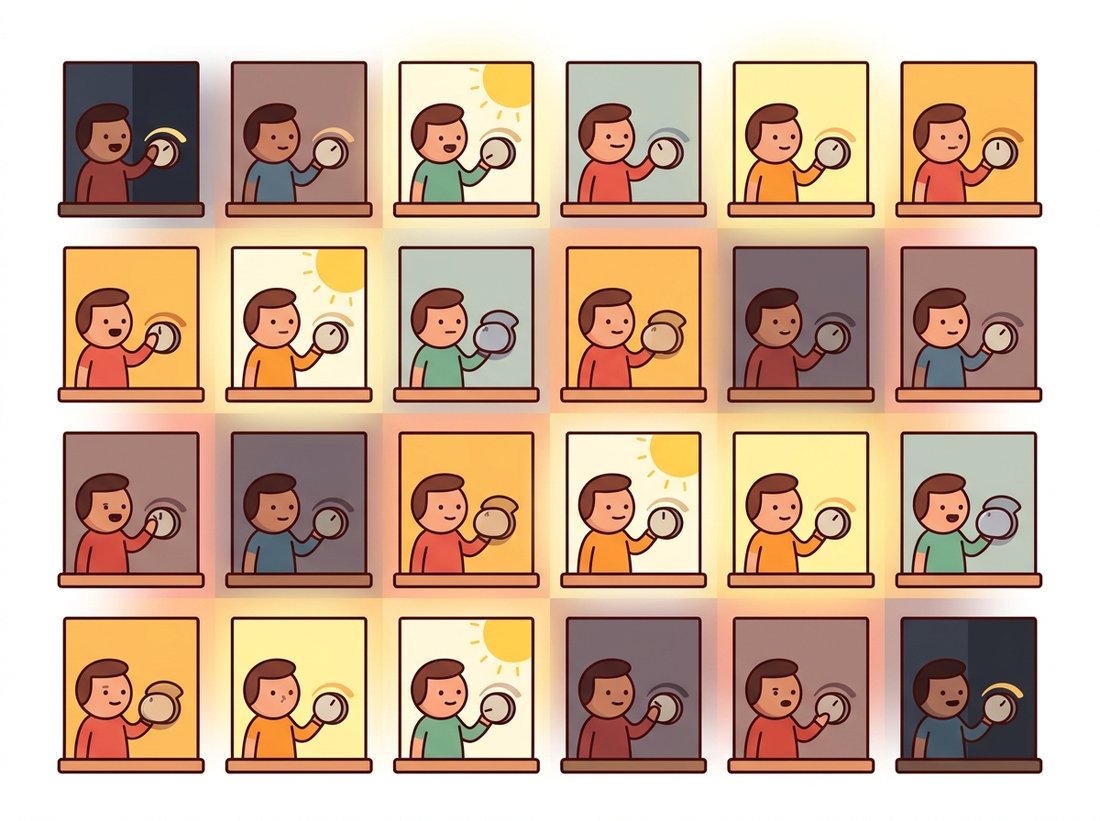
Second, the contrast limit: before each tile's CDF is computed, its histogram is clipped at a ceiling (the clip limit). Any counts above the ceiling are sliced off and redistributed evenly across all bins. A flat noisy region, whose histogram is one towering spike, gets that spike truncated, which caps the slope of its CDF and therefore caps how much the noise can be stretched. The clip limit becomes a single dial trading enhancement strength against noise amplification.
# CLAHE in two calls: build the operator once with a clip limit and a
# tile grid, then apply it. The clip limit caps per-tile contrast (noise
# control); the tile grid sets how locally the equalization adapts.
import cv2

gray = cv2.imread("chest_xray.png", cv2.IMREAD_GRAYSCALE)

clahe = cv2.createCLAHE(clipLimit=2.0,        # contrast ceiling (try 1..4)
                        tileGridSize=(8, 8))  # tile grid (8x8 is the default)
enhanced = clahe.apply(gray)

# The two parameters in plain words:
#   clipLimit    higher -> stronger local contrast, more noise risk
#   tileGridSize finer  -> more local adaptation, more noise risk

print(gray.std(), "->", enhanced.std()) # e.g. 38.6 -> 59.1 (local contrast up)cv2.createCLAHE: construct the operator once with clipLimit and tileGridSize, then call .apply per image or per frame. The reference C implementation in Graphics Gems IV runs about 300 lines; these two calls replace all of it, including the histogram clipping, per-tile CDFs, and bilinear blending.
Parameter intuition: clipLimit between 1 and 4 covers most uses (2.0 is a sane default; below 1.0 the output approaches the input), and tile grids between 4x4 and 16x16 trade locality against statistical stability of each tile's histogram, the same bins-versus-samples tension we met when choosing histogram resolution in Section 2.2. CLAHE remains the standard contrast front-end in medical imaging, underwater imagery, and surveillance, and very often serves as the input stage of the deep training pipelines covered in Chapter 21, which is exactly the situation in the story below.
Take any photo that has a large flat region (a clear sky, a painted wall) and run cv2.createCLAHE(clipLimit=c, tileGridSize=(8, 8)) for c in 1, 2, 4, 10, and 40, displaying the five outputs together. Watch the flat region specifically. At clipLimit=1 it stays smooth; as you climb toward 40 (effectively unlimited), grain and faint banding erupt across it while the textured parts of the scene barely change further. That divergence is the whole reason the clip exists: the dial does almost nothing useful past a point and starts buying noise instead of contrast. For a second knob, fix clipLimit=2.0 and vary tileGridSize from (2, 2) to (32, 32); tiny grids act nearly global while large grids chase local detail and amplify noise, the same locality-versus-stability tension as choosing histogram bins in Section 2.2.
Who: An ML engineer at a teleradiology provider whose pneumonia-screening model triages chest X-rays from roughly forty client hospitals.
Situation: Each hospital runs different detector hardware and vendor post-processing, so images arrive with wildly different brightness and contrast characteristics, despite all being "the same" modality.
Problem: Validation AUC was strong on the development sites but dropped sharply on the three hospitals with the oldest detectors, whose images were flat and low-contrast. Site identity was leaking into predictions through the intensity distribution.
Decision: Rather than collecting and labeling thousands of new images from the weak sites, the engineer standardized the input distribution: CLAHE (clip limit 2.0, 8x8 tiles) applied to every image, in training and at inference, so all sites entered the network with comparable local contrast.
Result: The worst-site AUC gap shrank to roughly a third of its original size at the cost of two lines of preprocessing code, and the retraining-with-new-data project was downgraded from urgent to routine.
Lesson: When a model must generalize across acquisition hardware, normalizing the input distribution is the cheapest robustness intervention available. Histogram-based preprocessing is not a relic; it is infrastructure under the deep learning stack.
5. Color Images and Histogram Matching Intermediate
Equalizing the R, G, and B channels of a color image independently is a classic mistake: the three curves differ, so the channel balance shifts and the image takes on phantom color casts. The correct recipe uses the color-space machinery from Chapter 1: convert to a space that separates luminance from chrominance, enhance only the luminance channel, and convert back.
# Color-safe enhancement: convert to LAB, run CLAHE on the lightness
# channel only, and merge back. Enhancing R, G, B separately would shift
# the channel balance and inject phantom color casts.
import cv2

img = cv2.imread("dim_street.jpg")                  # uint8 BGR

lab = cv2.cvtColor(img, cv2.COLOR_BGR2LAB)          # L = lightness, a/b = color
L, a, b = cv2.split(lab)

clahe = cv2.createCLAHE(clipLimit=2.5, tileGridSize=(8, 8))
L_enhanced = clahe.apply(L)                          # enhance lightness ONLY

out = cv2.cvtColor(cv2.merge([L_enhanced, a, b]), cv2.COLOR_LAB2BGR)
cv2.imwrite("dim_street_clahe.jpg", out)L channel of LAB while the a and b chrominance channels pass through untouched, then re-merged. Confining the work to lightness preserves the hue and saturation relationships that per-channel RGB equalization would scramble.A final relative of equalization deserves a mention because it generalizes the idea: histogram matching (also called histogram specification) transforms an image so its histogram matches not the uniform distribution but the histogram of a chosen reference image. Conceptually it chains two equalizations: map the source to uniform via its CDF, then through the inverse CDF of the reference. It is the standard tool for harmonizing brightness between stereo pairs, balancing tiles in image mosaics, and reducing acquisition shift between datasets collected on different devices. Equalization and matching both let the histogram prescribe a new set of intensities; the next section asks the histogram a sharper question, not how to remap the values but where to cut them in two, turning a measurement into a binary decision.
# Histogram matching (specification): remap the source so its intensity
# distribution mimics a chosen reference image, not the uniform target.
# The standard cure for visible exposure seams when stitching tiles.
from skimage import exposure
import cv2

src = cv2.imread("drone_tile_03.jpg")
ref = cv2.imread("drone_tile_02.jpg")     # the look we want to match

matched = exposure.match_histograms(src, ref, channel_axis=-1)
matched = matched.astype("uint8") # match_histograms returns float64match_histograms: one call (with channel_axis=-1 for color) remaps each channel of the source so its intensity distribution matches the reference tile, the standard fix for visible exposure seams when stitching aerial mosaics.The research line that began with Pizer's adaptive equalization now runs through deep networks, with CLAHE as both baseline and building block. Retinexformer (ICCV 2023) and the diffusion-based LightenDiffusion (ECCV 2024) learn spatially adaptive enhancement that CLAHE approximates with tiles, while the HVI color space (Yan et al., CVPR 2025) revisits this section's "enhance luminance, protect chrominance" recipe with a representation designed for low light. On the efficiency side, NILUT (AAAI 2024) compresses learned enhancement into implicit neural lookup tables for mobile deployment, and 3D-LUT methods descended from Zeng et al.'s 2020 work remain the production choice for real-time video. Meanwhile, in medical imaging the empirical literature keeps finding that CLAHE preprocessing measurably improves downstream CNN performance on X-ray and fundus tasks, which is why a 1994 Graphics Gems algorithm still appears in the data loaders of 2026 papers.
Without computing anything, sketch the equalization transfer curve $T(r)$ for: (a) an image whose histogram is already perfectly uniform; (b) a binary image containing only values 40 and 200 in equal numbers; (c) an image where 90 percent of pixels are darker than 50. For case (b), state exactly which output values the two populations land on and explain why equalization cannot create any intermediate tones.
Implement a simplified CLAHE in NumPy: split a grayscale image into a 4x4 tile grid, compute each tile's clipped histogram (redistribute the excess evenly) and equalization LUT, and map each pixel through the bilinear blend of its four neighboring tile LUTs, handling border pixels by clamping to the nearest valid tile centers. Compare your output against cv2.createCLAHE(clipLimit=2.0, tileGridSize=(4, 4)) visually and report the mean absolute difference.
Take a photograph with a large flat region (sky or wall), add mild Gaussian noise ($\sigma = 3$), and apply CLAHE with clip limits 1, 2, 4, 8, and 40 (effectively unlimited). For each output, measure the standard deviation inside a hand-picked flat patch (noise amplification) and the global entropy from Section 2.2 (enhancement strength). Plot both against clip limit and identify the value where added entropy starts buying mostly noise rather than structure.