"In the lab they called me a model. The compiler called me a graph, fused half my layers into each other, picked different kernels for a GPU I had never met, and handed back something three times faster that I no longer fully recognized. I have made my peace with being optimized."
A Trained Network, Recently Compiled
A trained model and a deployable model are different artifacts: the first is a PyTorch object that runs eagerly under the Python interpreter, the second is a compiled graph fused and tuned for one specific piece of hardware. The bridge between them is an export format, ONNX, that captures the model as a portable computation graph independent of the framework that built it, plus a runtime that compiles that graph for the target. This section explains what a compiler actually does to make a graph fast (it fuses operators, autotunes kernels, and calibrates precision), then walks the two runtimes that matter most: TensorRT for NVIDIA GPUs and OpenVINO for Intel CPUs and accelerators. The compressed model of Section 28.1 only realizes its promised speed once it passes through this stage.
In Section 28.1 we shrank a model but left it as a PyTorch nn.Module. That object is convenient for research and slow for production: every operation dispatches through Python, kernels are chosen generically, and intermediate tensors are written to and read from memory between every layer. Production wants the opposite of all three. This section is about getting there. We first separate the model from its framework with ONNX, then hand the ONNX graph to a runtime that compiles it. By the end you will be able to take any model from this book, a classifier from Chapter 20, a detector from Chapter 23, or a Vision Transformer from Chapter 22, and turn it into an engine that runs several times faster than the eager version, on the specific chip you are deploying to.
1. The Problem: Framework Is Not Runtime Beginner
You train in a framework (PyTorch, in this book) because frameworks are built for iteration: dynamic graphs, automatic differentiation, easy debugging. None of that helps at inference, and some of it actively hurts. At inference there are no gradients, the graph is fixed, and the only thing that matters is pushing inputs through to outputs as fast as possible on the deployment hardware. The deployment hardware, meanwhile, is rarely the workstation you trained on; it might be a different GPU, a server CPU, an embedded module, or a phone, each with its own optimal way to execute the same mathematics.
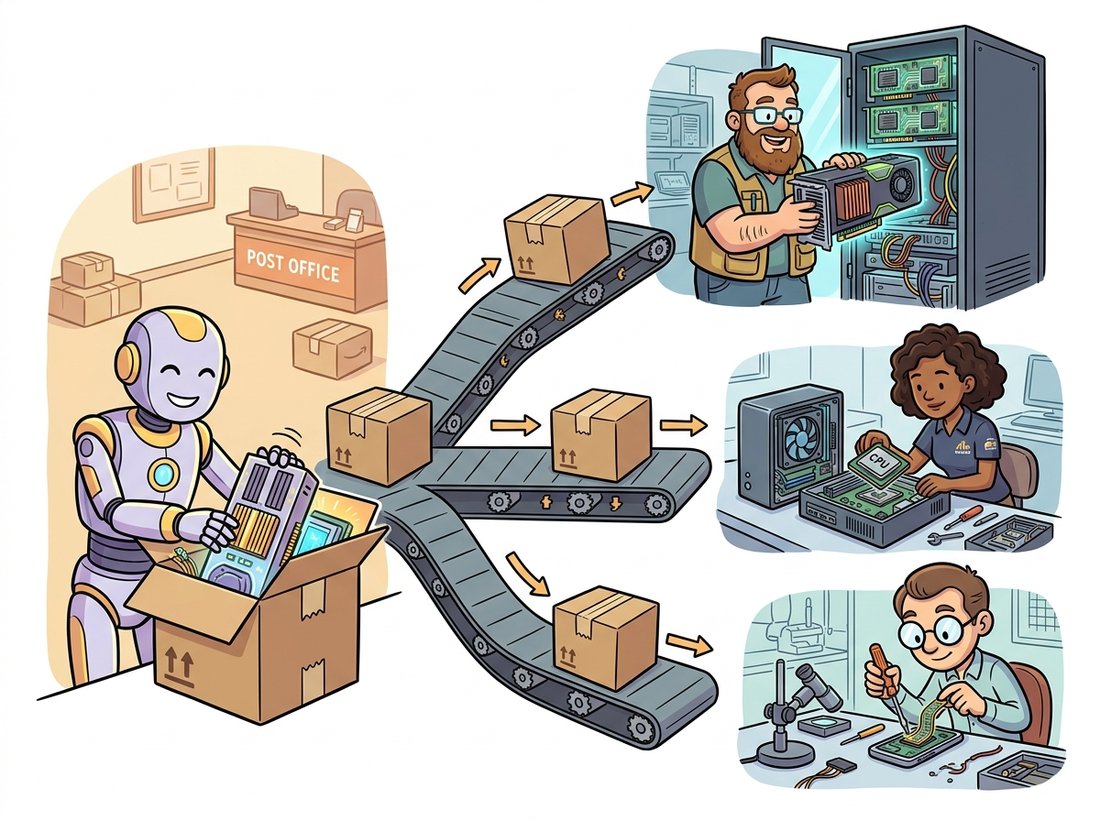
The solution is a two-layer separation, shown in Figure 28.2.1. A portable interchange format captures the trained model as a hardware-agnostic computation graph: a list of operators (convolution, matmul, add, relu) and the tensors flowing between them. A hardware-specific runtime then consumes that graph and compiles it into an executable optimized for one target. The interchange format means you export once and deploy many places; the runtime means each place runs the model the way that place runs best. ONNX is the dominant interchange format, and each major hardware vendor ships a runtime that consumes it. The illustration below captures the same single-crate, many-destinations idea.
2. ONNX: The Portable Graph Beginner
ONNX (Open Neural Network Exchange) is a serialization format for a computation graph plus its trained weights. Its operator set is a versioned, standardized vocabulary, so a Conv node means the same thing whether PyTorch, TensorFlow, or scikit-learn produced it. PyTorch exports to ONNX by tracing: it runs a forward pass with an example input, records every operator the tensors flow through, and writes that recorded graph to a file. Because the export is a trace, the example input's shape matters, and any control flow that depends on the data (a Python if branching on a tensor value) is captured only for the path the trace happened to take. This is why exportable inference code avoids data-dependent branching, a discipline that pays off across every runtime. The export call is short.
import torch
from torchvision.models import resnet18, ResNet18_Weights

model = resnet18(weights=ResNet18_Weights.DEFAULT).eval()
example = torch.randn(1, 3, 224, 224)

# torch.onnx.export traces a forward pass and writes the graph + weights.
torch.onnx.export(
    model, example, "resnet18.onnx",
    input_names=["input"], output_names=["logits"],
    # Mark axis 0 dynamic so the engine accepts any batch size at runtime.
    dynamic_axes={"input": {0: "batch"}, "logits": {0: "batch"}},
    opset_version=17,                  # the operator-set version to target
)
print("wrote resnet18.onnx")

# Validate the graph and check numerical agreement with PyTorch.
import onnxruntime as ort, numpy as np
sess = ort.InferenceSession("resnet18.onnx", providers=["CPUExecutionProvider"])
ort_out = sess.run(None, {"input": example.numpy()})[0]
torch_out = model(example).detach().numpy()
print("max abs diff:", np.abs(ort_out - torch_out).max()) # max abs diff: ~1e-5dynamic_axes entry marks the batch dimension as variable so the compiled engine is not locked to batch size 1. The roughly 1e-5 maximum difference between ONNX Runtime and eager PyTorch confirms the export preserved the computation; a large difference here is the first sign of an export bug, always check it before trusting the engine.Run the validation above, then change the verification input from the single example the model was traced on to a fresh random batch, say torch.randn(8, 3, 224, 224), and feed the same tensor to both the ONNX session and eager PyTorch. The maximum absolute difference stays around 1e-5, not exactly zero: the compiled graph computes the same mathematics but not the bit-identical floating-point order, which is why the right check is a small tolerance rather than equality. Now break it on purpose to see the alarm work: re-export with opset_version=9 (an old operator set) or comment out the .eval() call so batch-norm runs in training mode, then re-run the diff and watch it jump by orders of magnitude. Seeing a clean export sit near 1e-5 and a broken one blow past 1e-2 is what turns the validation step from a ritual into a reflex.
The single most common deployment bug is a model that exports without error but computes something subtly different from the original, because of an unsupported operator that got replaced, a tracing branch that took the wrong path, or a preprocessing step that lived in Python and never made it into the graph. The defense is cheap and non-negotiable: run the same input through both the original and the exported model and assert the outputs agree to within a small tolerance, as the code above does. An export that passes this check is trustworthy; one that skips it is a latent production incident. The accuracy you measured in Section 28.1 only transfers to deployment if the exported graph is the model you measured.
3. What a Compiler Actually Does Intermediate
Here is the part that surprises people the first time they measure it: the compiled engine computes the exact same numbers as your eager model, yet runs several times faster. Where does the speed come from if the arithmetic is identical? A runtime does not just execute the ONNX graph node by node; it compiles it, and three optimizations do most of the work. Understanding them tells you why a compiled engine is faster and, just as usefully, where to look when it is not.
Operator fusion merges adjacent operators into a single kernel. A convolution followed by a batch-norm followed by a ReLU is, in the eager graph, three operators that each read their input from memory and write their output back. Fused, they become one kernel that reads the input once, does all three computations in registers, and writes the result once. Because deep networks are usually memory-bandwidth bound (moving tensors costs more than the arithmetic on them), eliminating those intermediate memory trips is often the largest single win. The batch-norm of Chapter 21 can even be folded entirely into the preceding convolution's weights at compile time, since at inference it is just an affine rescaling, removing it from the graph completely. Figure 28.2.2 shows the fusion.
The claim that networks are "memory-bandwidth bound" sounds abstract until you put one number on it. On a modern data-center GPU, reading a number from memory costs on the order of a hundred times more time than the floating-point multiply you then perform on it. So a ReLU, which does one trivial comparison per element, spends almost all of its wall-clock time on the round trip to memory, not on the comparison. Now watch what fusion does: running Conv, BatchNorm, and ReLU separately writes the full feature map to memory and reads it back twice, three large memory trips for arithmetic that could share one. Fuse them and those two intermediate round trips simply vanish. The compiler did not make the math faster; it deleted the part that was never the math. That is why a fused engine can beat eager PyTorch several times over while computing the exact same numbers.
Kernel autotuning picks the fastest implementation of each operator for the specific hardware. There are many ways to compute a convolution (direct, im2col-plus-matmul, Winograd, FFT-based, and several tiled GPU variants), and which is fastest depends on the layer's shape and the chip's cache sizes and core layout. TensorRT, during its build step, actually benchmarks several candidate kernels for each layer on the real device and keeps the winner. This is why building a TensorRT engine takes minutes and why the engine is tied to the exact GPU it was built on; the autotuning baked in choices specific to that silicon.
Precision calibration is the runtime-side half of the quantization from Section 28.1. Given a calibration dataset, the runtime measures activation ranges and chooses per-tensor scales so it can run layers in int8 (or FP16, or FP8 on newer hardware) while keeping accuracy. The runtime decides per layer whether the speed gain of lower precision is worth the accuracy cost, sometimes keeping a few sensitive layers in higher precision, a mixed-precision plan you could not easily hand-tune.
4. TensorRT: The NVIDIA GPU Runtime Intermediate
TensorRT is NVIDIA's inference compiler and runtime. It takes an ONNX graph (or a framework model through a plugin) and builds an engine: a serialized, hardware-tuned plan that the TensorRT runtime executes. The build does all three optimizations above for the target GPU. Engines are not portable across GPU architectures, so you build on (or for) the deployment device. The easiest path from ONNX to an engine is the trtexec command-line tool, and the same engine then runs from Python or C++. The snippet below shows the build and a Python timing harness; the comments give representative numbers from a mid-range GPU so you can see the shape of the win.
# --- Build an int8 engine from ONNX (shell command, run once on the target GPU) ---
# trtexec --onnx=resnet18.onnx --saveEngine=resnet18.engine \
#         --int8 --shapes=input:8x3x224x224
# The build autotunes kernels for THIS GPU and calibrates int8 ranges.

# --- Load and time the engine from Python ---
import tensorrt as trt
import numpy as np

logger = trt.Logger(trt.Logger.WARNING)
with open("resnet18.engine", "rb") as f:
    engine = trt.Runtime(logger).deserialize_cuda_engine(f.read())
context = engine.create_execution_context()

# (Allocate device buffers, copy input, run context.execute_async_v3, copy output.)
# The mechanics are runtime-version specific; the point is the measured latency:
#
#   eager PyTorch fp32 (batch 8) : 9.8 ms / batch
#   TensorRT fp16    (batch 8)   : 2.7 ms / batch   -> 3.6x faster
#   TensorRT int8    (batch 8)   : 1.9 ms / batch   -> 5.2x faster
#
# Always re-measure on YOUR GPU; these ratios shift with architecture and shape.
print("engine loaded; benchmark on the target device")trtexec build step autotunes kernels and calibrates int8 ranges for the specific GPU, which is why the engine is device-locked. The representative latencies show the typical FP16 and int8 speedups over eager PyTorch; the exact ratios depend on the GPU and the batch shape, so the build step is also your measurement step.The most common practical wrinkle with TensorRT is the optimization profile: because the engine is tuned for specific input shapes, dynamic dimensions (variable batch size or image resolution) must be declared with a minimum, optimum, and maximum at build time, and the engine is fastest at the optimum. Forgetting this is why a dynamically shaped engine sometimes runs slower than expected, it is being executed away from the shape it was tuned for. This same engine, built for a Jetson rather than a data-center GPU, is the deployment path of Section 28.3.
5. OpenVINO: The CPU and Accelerator Runtime Intermediate
Not everything runs on an NVIDIA GPU. A great deal of vision inference runs on CPUs (servers without GPUs, industrial PCs, retail edge boxes) and on Intel's integrated GPUs and neural accelerators. OpenVINO is Intel's counterpart to TensorRT for that hardware. Its model optimizer compiles an ONNX or framework graph into an intermediate representation, applies the same family of fusions and precision optimizations, and runs it through a unified inference API that targets CPU, integrated GPU, or NPU with a single device string. The conversion and inference are a few lines.
import openvino as ov
import numpy as np

core = ov.Core()
# Read ONNX directly; OpenVINO converts and optimizes it internally.
model = core.read_model("resnet18.onnx")

# Compile for the target device: "CPU", "GPU" (Intel iGPU), or "NPU".
compiled = core.compile_model(model, device_name="CPU")

# Run inference. OpenVINO has already fused ops and chosen CPU-optimal kernels.
infer = compiled.create_infer_request()
x = np.random.randn(1, 3, 224, 224).astype(np.float32)
result = infer.infer({0: x})
logits = list(result.values())[0]
print("output shape:", logits.shape)         # output shape: (1, 1000)

# For int8, run OpenVINO's post-training quantization (NNCF) first; the compiled
# CPU engine then uses the VNNI integer instructions for a further 2-3x speedup.read_model ingests the same ONNX graph that TensorRT consumed; compile_model applies CPU-specific fusions and kernel selection. Switching device_name to "GPU" or "NPU" retargets the same code to Intel's integrated accelerators, the portability that the export-once pipeline buys you.
The strategic point is portability through ONNX. The exact same resnet18.onnx file fed TensorRT in subsection 4 and OpenVINO here; the export work was done once. Table 28.2.1 summarizes when to reach for each runtime, including the cross-platform fallback, ONNX Runtime, which itself dispatches to TensorRT or OpenVINO under the hood through its execution-provider system when those are available.
| Runtime | Target hardware | Reach for it when |
|---|---|---|
| TensorRT | NVIDIA GPUs (data center to Jetson) | You deploy on NVIDIA and want maximum GPU throughput; you accept device-locked engines. |
| OpenVINO | Intel CPUs, iGPUs, NPUs | You deploy on CPU or Intel accelerators, common for on-prem and industrial vision. |
| ONNX Runtime | CPU, CUDA, and via providers nearly anything | You want one runtime that works everywhere and dispatches to the best backend available. |
| Core ML / TFLite / ExecuTorch | Phones and embedded | You deploy on mobile or microcontrollers (the subject of Section 28.3). |
The export-and-validate dance above is worth doing by hand once to understand it. In a model-zoo workflow, the per-runtime export is a single argument. Ultralytics wraps ONNX export, TensorRT engine building, OpenVINO conversion, and the mobile formats behind one format string:
# One checkpoint, three runtime targets: each export call runs the trace,
# opset selection, and runtime-specific build behind a single format string.
from ultralytics import YOLO
model = YOLO("yolo12n.pt")

model.export(format="onnx")        # portable ONNX graph
model.export(format="engine")      # builds a TensorRT engine on this GPU
model.export(format="openvino")    # OpenVINO IR for Intel CPU/iGPU/NPU
# Then run inference on the exported artifact with the same predict API:
YOLO("yolo12n.engine").predict("street.jpg") # uses the TensorRT runtimeformat argument per target. The same yolo12n.pt checkpoint becomes a portable ONNX graph, a device-locked TensorRT engine, or an OpenVINO IR, and the unchanged predict API runs whichever artifact you load. The library absorbs the trace, opset selection, and runtime build; it does not absorb the on-device latency measurement, which remains your job.Each call internally runs the trace, opset selection, shape declaration, runtime-specific build, and numerical validation, the roughly hundred lines this section unpacked, and writes a ready-to-serve artifact. The library does not relieve you of measuring latency on the real device; it relieves you of the export boilerplate.
A retail-analytics team built a person-detection pipeline for in-store cameras, running on a single data-center GPU that served dozens of camera streams. Their TensorRT engine benchmarked at 1.8 ms per frame on the build machine, so they sized the fleet for that number. In production, throughput was less than half of what the benchmark predicted, and latency was erratic. The cause was the optimization profile: the engine had been built with an optimum batch size of 32, but the real serving layer dispatched frames one at a time as each camera produced them, so the engine ran almost entirely at batch size 1, far from the shape it was tuned for, and the per-frame fixed cost dominated. The fix was twofold: rebuild the engine with an optimum profile matching the real batch distribution, and add the dynamic batching of Section 28.4 so the serving layer actually collected the batches the engine wanted. After both changes the production number matched the benchmark. The lesson: a benchmark on a shape you will not serve is a benchmark of a model you will not run. Profile the engine for the traffic you will actually see, and measure under that traffic.
The boundary between framework and runtime is dissolving. PyTorch 2's torch.compile brought graph capture and kernel fusion into the framework itself through the TorchInductor backend, and the 2024 onward torch.export plus AOTInductor path produces ahead-of-time-compiled, Python-free artifacts that blur the line with ONNX export. Triton, the GPU-kernel language, lets compilers autotune custom fused kernels rather than picking from a fixed library, and is now the codegen backend behind several stacks. On the hardware side, TensorRT 10 and the Blackwell generation made FP8 and FP4 first-class compiled precisions, so the calibration step of subsection 3 now targets sub-8-bit formats directly. For large vision-language and diffusion models in particular, the 2025-2026 deployment story is increasingly a single compile-and-quantize pipeline, torch.export to a quantized FP8 engine, rather than the multi-tool dance this section describes, though ONNX remains the lingua franca whenever you must cross a vendor boundary.
The reason a TensorRT engine refuses to load on a different GPU is not licensing or stubbornness; it is that the build step physically benchmarked candidate kernels on the exact silicon in front of it and baked the winners into the plan. The engine is less a portable program than a frozen race result: "on this chip, with these cache sizes, Winograd beat im2col for layer 14." Move it to a chip where the race would have gone differently and the result is meaningless, which is why an engine built on a teammate's RTX 4090 will not run on your A100. The signature phrase to remember: export once, compile per target, because the compile is the part that knows the hardware by name.
6. Summary and the Road to the Edge
Deployment requires separating the model from its framework. ONNX captures a trained model as a portable computation graph by tracing a forward pass; always validate the export numerically against the original. A runtime then compiles that graph for specific hardware, applying operator fusion (eliminating memory traffic), kernel autotuning (picking the fastest implementation per layer per chip), and precision calibration (running int8 or FP8 where accuracy allows). TensorRT serves NVIDIA GPUs and builds device-locked engines tuned with optimization profiles; OpenVINO serves Intel CPUs and accelerators; ONNX Runtime is the portable fallback. With a compiled engine in hand, the next question is the hardware it runs on. Section 28.3 takes these same runtimes to the edge: the Jetson modules, the mobile runtimes, and the architectures designed for a power budget measured in single-digit watts.
PyTorch's ONNX export traces a single forward pass with an example input. Suppose a model's forward contains if x.mean() > 0: return branch_a(x) else: return branch_b(x), where the branch depends on the input tensor's values. Explain in two or three sentences what the exported ONNX graph will contain, why running it on an input that would have taken the other branch gives the wrong answer, and how this connects to the numerical-validation check in the Key Insight callout. Suggest one way to make such a model exportable.
Export a pretrained ResNet-18 to ONNX as in subsection 2, with a dynamic batch axis. Validate it numerically against eager PyTorch and report the maximum absolute difference. Then time three configurations on whatever hardware you have: eager PyTorch, ONNX Runtime on CPU, and (if you have an NVIDIA GPU) a TensorRT FP16 engine, each at batch sizes 1, 8, and 32. Tabulate latency per batch and per image. Write one paragraph on how the per-image cost changes with batch size and why, connecting it to the fixed-versus-amortized-overhead idea that Section 28.4 builds on.
Reread the production incident in the Practical Example. You are handed a TensorRT engine that benchmarks at 1.8 ms per frame on the build machine but delivers 4.1 ms per frame in production. List the diagnostic questions you would ask, in order, to localize the cause (consider the optimization-profile shape, the actual serving batch distribution, GPU contention from other models, precision mode, and input-preprocessing cost). For each question, state what measurement would confirm or rule out that cause, and explain why measuring under production traffic is the only conclusive test.