"Alone, I answer each request the instant it arrives, and waste most of the GPU doing it. Made to wait ten milliseconds and gather a crowd, I serve thirty at once and the GPU finally earns its keep. Patience, it turns out, is a throughput strategy."
A Vision Model Learning to Batch
Serving a vision model well is the art of trading a little latency for a lot of throughput, because a GPU is fast at large batches and wasteful at single requests, and real traffic arrives one request at a time. A model behind an API faces a different problem from one on a device: many clients, unpredictable arrival times, and a cost measured in dollars per thousand inferences. The central technique is dynamic batching, holding requests for a few milliseconds to gather a batch the GPU can run efficiently, and the central tension is the throughput-versus-latency trade that every serving decision navigates. This section builds the mental model, derives the batching trade quantitatively, and surveys the inference servers (Triton, TorchServe, Ray Serve) that implement it so you do not have to.
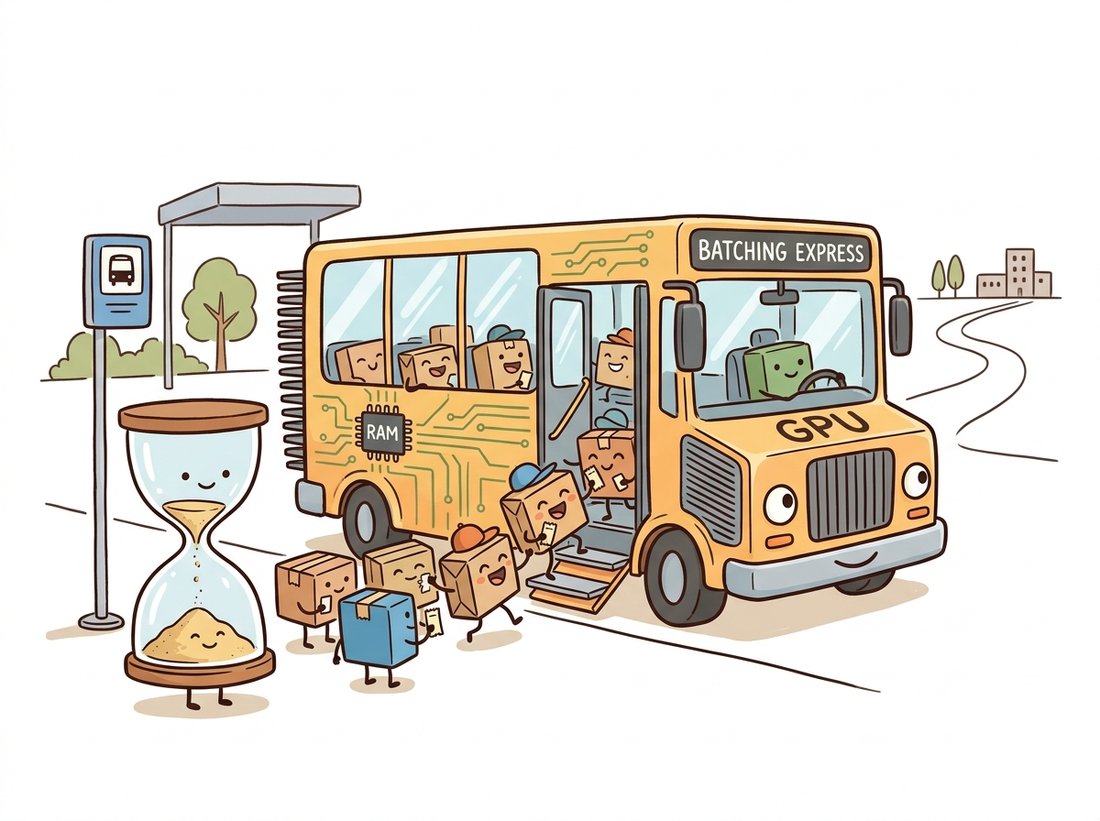
The previous three sections shrank a model and got it running fast on a single device. Serving asks a different question: given that single fast model, whether a detector from Chapter 23, a segmentation network from Chapter 24, or a foundation backbone from Chapter 25, how do you answer thousands of requests a second, from many clients, within a latency target, at the lowest cost? The answer is rarely "make the model faster"; it is "use the hardware efficiently across many requests at once." A modern GPU running a vision model at batch size 1 may sit at single-digit-percent utilization, because the fixed overhead of launching the work dwarfs the work itself for one image. The requests themselves are decoded frames from the camera and sensor pipeline of Chapter 1, arriving from many clients at once rather than as the neat tensor batches training assumed. Serving is about closing that gap, and the closer is batching, as the illustration below makes intuitive. This section is the cloud counterpart to the edge of Section 28.3, and it is where a deployed vision system meets real traffic.
1. Throughput Versus Latency Beginner
Two numbers describe a serving system, and they are not the same. Latency is how long one request waits for its answer, the number a user feels. Throughput is how many requests the system completes per second, the number that sets your hardware bill. They pull in opposite directions. The lowest latency comes from running each request the instant it arrives, alone; the highest throughput comes from gathering many requests into a large batch and running them together, which makes each individual request wait. Serving is choosing where on that curve to sit, and the choice is driven by the product's latency target.
Confronted with "we cannot serve enough requests per second," the instinct is to make the single-image forward pass faster or to buy more GPUs. For a vision model at batch size 1, both are often the wrong first move, because throughput and latency are different quantities. A GPU running one 224x224 image may sit below ten percent utilization: the bottleneck is not the model's speed but the fixed per-call overhead that dominates a tiny batch. Halving the model's compute barely raises throughput when the GPU is idle most of the time anyway, and adding GPUs multiplies an already-wasteful pattern. The lever that actually moves throughput is batching, which raises per-second capacity several-fold on the same hardware (the content-moderation incident below is exactly this). Latency is how long one request waits; throughput is how many you finish per second. Optimizing the first does not automatically fix the second.
The reason a batch helps is that GPU work has large fixed overhead. Launching a kernel, transferring data, and the per-call bookkeeping cost roughly the same whether the batch is one image or thirty-two; the marginal cost of each additional image in the batch is small until the GPU's compute units saturate. So the time to process a batch of size $B$ is well modeled as a fixed cost plus a per-image cost:
Because $t_{\text{fixed}}$ is amortized across the whole batch, throughput $B / t(B)$ rises steeply with batch size at first, then saturates once the GPU is compute-bound. Per-request latency, meanwhile, grows: a request in a batch of 32 waits for all 32 to finish. Figure 28.4.1 plots both, and the gap between them is the entire serving design space.
The code below measures this curve directly for a real model, so the abstract figure becomes concrete numbers on your hardware.
import torch, time
from torchvision.models import resnet50, ResNet50_Weights

device = "cuda" if torch.cuda.is_available() else "cpu"
model = resnet50(weights=ResNet50_Weights.DEFAULT).eval().to(device)

@torch.no_grad()
def time_batch(batch_size, iters=50):
    x = torch.randn(batch_size, 3, 224, 224, device=device)
    for _ in range(5):                      # warmup (autotune, allocate)
        model(x)
    if device == "cuda":
        torch.cuda.synchronize()
    t0 = time.perf_counter()
    for _ in range(iters):
        model(x)
    if device == "cuda":
        torch.cuda.synchronize()            # GPU is async; sync before timing
    total = time.perf_counter() - t0
    per_batch_ms = total / iters * 1e3
    throughput = batch_size * iters / total
    return per_batch_ms, throughput

for B in [1, 4, 16, 64]:
    ms, tput = time_batch(B)
    print(f"B={B:>3}  batch={ms:6.1f} ms  per-image={ms/B:5.2f} ms  {tput:7.0f} img/s")
# B=  1  batch=   6.2 ms  per-image= 6.20 ms      161 img/s
# B=  4  batch=   9.1 ms  per-image= 2.28 ms      440 img/s
# B= 16  batch=  21.0 ms  per-image= 1.31 ms      762 img/s
# B= 64 batch= 74.0 ms per-image= 1.16 ms 865 img/storch.cuda.synchronize() before timing, GPU work is asynchronous, and forgetting to synchronize is the most common benchmarking bug, producing impossibly fast numbers. Per-image time falls from 6.2 ms at batch 1 to 1.16 ms at batch 64 (a $5\times$ efficiency gain) while per-batch latency rises to 74 ms; the right batch size is the largest whose latency fits the target.The instinct is to pick a batch size for maximum throughput and accept whatever latency results. Production works backward. The product specifies a latency target, say 50 ms at the 99th percentile, meaning 99 of every 100 requests must finish within 50 ms. Serving targets use a high percentile rather than the average because the slowest few requests are the ones users actually complain about. That target, minus the network and queuing overhead, is the latency budget for inference. The right batch size is the largest one whose batch-processing time fits inside that budget, because that is the most throughput you can buy without breaking the promise to the user. Picking the batch first and the latency second is how teams ship systems that are cheap and too slow, or fast and needlessly expensive. Start from the budget, as Figure 28.4.1's operating band shows.
2. Dynamic Batching Intermediate
There is a problem with batching: real requests do not arrive in batches. They arrive one at a time, at unpredictable moments. To batch them you must either make clients send batches (rarely possible) or have the server gather individual requests into a batch on the fly. The latter is dynamic batching (sometimes server-side or adaptive batching), and it is the single most important serving technique for vision models. The server maintains a short queue: when a request arrives, it waits up to a small maximum delay (a few milliseconds) for more requests to join, then runs whatever has accumulated as one batch, up to a maximum batch size. The two knobs, max delay and max batch size, place the system on the curve of Figure 28.4.1.
The trade is direct. A longer max delay gathers larger batches (higher throughput) at the cost of making early-arriving requests wait (higher latency). A shorter delay keeps latency low but, under light traffic, runs small inefficient batches. Crucially, the delay is a ceiling, not a fixed wait: under heavy traffic the batch fills before the delay elapses and runs immediately, so dynamic batching costs latency only when traffic is light enough that the GPU has spare capacity anyway. The sketch below implements the core loop to make the mechanism concrete; production servers do this in optimized native code.
import asyncio, torch

class DynamicBatcher:
    """Gather individual async requests into a batch, bounded by delay and size."""
    def __init__(self, model, max_batch=32, max_delay_ms=5.0):
        self.model = model
        self.max_batch = max_batch
        self.max_delay = max_delay_ms / 1000.0
        self.queue = asyncio.Queue()
        asyncio.create_task(self._run_loop())

    async def infer(self, image_tensor):
        fut = asyncio.get_event_loop().create_future()
        await self.queue.put((image_tensor, fut))   # enqueue request + its result future
        return await fut                            # caller awaits its own answer

    async def _run_loop(self):
        while True:
            item, fut = await self.queue.get()       # block until at least one request
            batch, futs = [item], [fut]
            deadline = asyncio.get_event_loop().time() + self.max_delay
            # Gather more until the batch is full OR the delay window closes.
            while len(batch) < self.max_batch:
                timeout = deadline - asyncio.get_event_loop().time()
                if timeout <= 0:
                    break
                try:
                    item, fut = await asyncio.wait_for(self.queue.get(), timeout)
                    batch.append(item); futs.append(fut)
                except asyncio.TimeoutError:
                    break
            # One batched forward pass for the whole gathered group.
            with torch.no_grad():
                out = self.model(torch.stack(batch))
            for i, f in enumerate(futs):             # hand each caller its slice
f.set_result(out[i])max_delay window closes, runs one batched forward pass, and resolves each caller's future with its own output. The max_batch and max_delay_ms knobs place the server on the latency-throughput curve; under heavy load the batch fills first and the delay never binds.3. Concurrency and Model Instances Intermediate
Batching fills one model's batch; concurrency runs several batches in flight. There are two complementary levers. Multiple model instances on one GPU let a second batch start computing while the first is still finishing, hiding the gaps (data transfer, kernel launch) where a single instance would leave the GPU idle; this works as long as the instances fit in GPU memory together, which is where the compressed weights of Section 28.1 pay off twice (a smaller model means more instances per GPU). Whether the backbone is a ResNet from Chapter 20 or a Vision Transformer from Chapter 22, the memory footprint per instance sets the concurrency ceiling. Multiple GPUs or replicas scale horizontally, with a load balancer spreading requests, the standard answer when one GPU's throughput is not enough. A serving system is therefore a small pipeline: a queue feeds a dynamic batcher, which feeds one or more model instances, which may be replicated across GPUs. Figure 28.4.2 shows the arrangement.
4. Inference Servers Intermediate
You could build the pipeline above yourself, and the sketch in subsection 2 shows it is not conceptually hard, but production-grade serving has many sharp edges: health checks, metrics, model versioning, multi-model hosting, GPU memory management, request timeouts, and graceful overload handling. Inference servers package all of it. Three are common for vision. NVIDIA Triton is the most capable: it hosts models from any framework (TensorRT, ONNX, PyTorch) with built-in dynamic batching, concurrent instances, and a model-ensemble feature that chains preprocessing, inference, and postprocessing on the server. TorchServe is the PyTorch-native option, simpler to start with and tightly integrated with the PyTorch ecosystem. Ray Serve is a Python-first framework for composing models into pipelines and scaling them across a cluster, strong when serving is part of a larger Python application. For Triton, the entire dynamic-batching configuration is declarative.
# Triton model configuration (config.pbtxt) for a TensorRT vision model.
# This declarative config replaces the hand-written batcher of subsection 2.
config = """
name: "resnet50_trt"
platform: "tensorrt_plan"
max_batch_size: 32              # ceiling on the dynamic batch
input  [ { name: "input"  data_type: TYPE_FP16 dims: [3, 224, 224] } ]
output [ { name: "logits" data_type: TYPE_FP16 dims: [1000] } ]

dynamic_batching {              # Triton gathers requests into batches itself
  preferred_batch_size: [ 8, 16, 32 ]    # batch shapes the engine is tuned for
  max_queue_delay_microseconds: 5000     # wait up to 5 ms to fill a batch
}

instance_group [               # run two model instances on each GPU
  { count: 2  kind: KIND_GPU }
]
"""
# Drop this file beside the engine in the model repository and start Triton:
#   tritonserver --model-repository=/models
# Triton now serves resnet50_trt over HTTP and gRPC with batching + concurrency.
print("Triton config defines batching and concurrency declaratively")config.pbtxt for a TensorRT vision model. The dynamic_batching block declares exactly the queue-and-delay logic the Python sketch implemented by hand, and instance_group runs two concurrent instances per GPU. preferred_batch_size lists the batch shapes the TensorRT engine was tuned for in Section 28.2, closing the loop with the optimization-profile lesson from there.For a single PyTorch model, you do not need the full Triton apparatus to get batching and an HTTP endpoint. Ray Serve gives you both with a decorator:
from ray import serve
import torch
from torchvision.models import resnet50, ResNet50_Weights

@serve.deployment(num_replicas=2, ray_actor_options={"num_gpus": 1})
class Classifier:
    def __init__(self):
        self.model = resnet50(weights=ResNet50_Weights.DEFAULT).eval().cuda()

    @serve.batch(max_batch_size=32, batch_wait_timeout_s=0.005)   # dynamic batching
    async def __call__(self, images: list) -> list:
        batch = torch.stack(images).cuda()
        with torch.no_grad():
            out = self.model(batch)
        return list(out.cpu())

serve.run(Classifier.bind()) # now serving on http://localhost:8000@serve.batch(max_batch_size=32, batch_wait_timeout_s=0.005) decorator supplies the same queue-and-delay batcher the subsection 2 sketch wrote by hand, while num_replicas=2 with one GPU each gives the concurrency that the Triton instance_group declared. The roughly forty lines of async queue management of the from-scratch version reduce to two decorator arguments, with health checks and metrics inherited from the framework.The @serve.batch decorator alone provides the entire dynamic batcher from subsection 2, and num_replicas handles concurrency. The roughly forty lines of async queue logic collapse to two decorator arguments, and you inherit health checks, metrics, and autoscaling for free.
Combine the benchmark harness of subsection 1 with the Ray Serve endpoint above to build a small serving lab you can show in an interview. Wrap a detector from Chapter 23 in the batched deployment, then write a load generator that fires requests at a controlled rate and records achieved throughput and 99th-percentile latency as you sweep the max_batch_size and batch_wait_timeout_s knobs. Plot the operating curve of Figure 28.4.1 from your own measurements and mark the largest batch that meets a chosen latency target. Budget an afternoon for a working version. The deliverable is exactly the analysis the content-moderation team in the Practical Example was missing before their incident: a chart that says how much traffic your hardware can absorb and at what batch size, turning the abstract latency budget into a number you measured rather than guessed.
A social platform served an image content-moderation classifier behind an API, sized for its average traffic of 800 images per second on a small GPU fleet with no dynamic batching, each request run alone. It worked until a viral event tripled the upload rate within minutes. With each request running at batch size 1, the GPUs were already near their inefficient ceiling at normal load, so the surge had nowhere to go: the request queue grew without bound, latency climbed past the timeout, and uploads started failing the moderation check and getting blocked, exactly when moderation mattered most. The post-incident fix was not more GPUs first; it was dynamic batching. Enabling a 10 ms max-delay batcher with a max batch of 32 raised the per-GPU throughput from about 160 to over 800 images per second on the same hardware, a fivefold headroom gain that absorbed the surge, and only then did they add two replicas for safety margin. The lesson: serving at batch size 1 leaves four-fifths of the GPU on the table, and the cheapest capacity is the throughput you are already paying for but not using. Dynamic batching is the first lever, not the last resort.
Serving research in 2024-2026 has been driven by large generative and multimodal models, and the techniques are flowing back to vision. Continuous (in-flight) batching, introduced as iteration-level scheduling in Orca (Yu et al., OSDI 2022, usenix.org/conference/osdi22) and popularized alongside PagedAttention by vLLM (Kwon et al. 2023, arXiv:2309.06180), batches at the level of individual computation steps rather than whole requests, and the 2024-onward vision-language serving stacks adopt it for the autoregressive parts of multimodal models. Disaggregated serving splits a model's stages across different hardware pools, an idea reaching vision pipelines that pair a heavy encoder with many light decoders. On the throughput frontier, the FP8 and FP4 engines of Section 28.2 roughly double serving density per GPU, and speculative and cascade serving (a cheap model handles easy inputs, escalating only hard ones to an expensive model) cut average cost by routing on difficulty. For pure vision classification and detection, dynamic batching remains the dominant lever; the frontier matters most as these models increasingly ship inside multimodal systems.
Dynamic batching is the rare optimization where making each request wait makes every request faster. The first image into an empty queue volunteers to be slightly late so that the next thirty-one can ride along on the same GPU launch it was going to pay for anyway. Under heavy load the irony deepens: the busier the server gets, the less anyone waits, because the batch fills before the delay window even opens, so the "patience tax" is charged only when the GPU has nothing better to do. A signature phrase for the whole section: the latency budget picks the batch size; the batch size never picks itself.
5. Summary and the Road to Monitoring
Serving trades latency for throughput. A GPU is inefficient at batch size 1 because fixed overhead dominates, and efficient at large batches because that overhead amortizes; the time-per-batch model $t(B) = t_{\text{fixed}} + B \cdot t_{\text{per-image}}$ captures why. Dynamic batching gathers individual requests into efficient batches with two knobs, max delay and max batch size, that place the system on the latency-throughput curve, and it costs latency only when traffic is light. Concurrency adds throughput through multiple model instances per GPU and replicas across GPUs. Inference servers (Triton, TorchServe, Ray Serve) implement all of it declaratively, with the operational machinery a production endpoint needs. The latency budget, not the throughput appetite, sets the batch size. But even a perfectly served model degrades over time as the world drifts away from its training data, silently and without raising an error. Section 28.5 closes the chapter by building the monitoring and continual-improvement loop that catches that decay before users do.
Dynamic batching amortizes fixed GPU overhead across a batch. Describe two situations where it provides little or no benefit: one where the model or hardware makes the fixed overhead negligible relative to per-image compute, and one where the traffic pattern prevents batches from forming. For each, explain in two or three sentences why batching fails to help and what you would do instead. Connect the first case to the per-image-time numbers in the subsection 1 benchmark.
Run the subsection 1 benchmark on a model of your choice across batch sizes 1, 2, 4, 8, 16, 32, and 64, recording per-batch latency and throughput. Fit the linear model $t(B) = t_{\text{fixed}} + B \cdot t_{\text{per-image}}$ to your latency measurements and report the two fitted parameters. Then, given a latency budget of 30 ms for inference, compute the maximum batch size that fits and the throughput it delivers. Write one paragraph on how well the linear model fits and where it breaks down (it should curve once the GPU saturates), connecting the deviation to Figure 28.4.1.
You serve a detector with a service-level objective of 50 ms at the 99th-percentile latency, and your single GPU processes a batch of 16 in 20 ms (fixed cost 4 ms, 1 ms per image). Traffic averages 500 requests per second but is bursty. Reason about how to set the dynamic-batching max-delay and max-batch knobs to meet the objective: estimate the queuing delay a request can tolerate, the batch size the GPU can clear in time, and whether one GPU suffices or you need a second instance. Justify your chosen knob values and replica count with the numbers, and state what you would monitor in production to confirm the objective is met, anticipating Section 28.5.